An onboarding agent needs enough information to prepare accounts, equipment, and checklists—not unrestricted access to employee records. Keep data selection, document sharing, and permission grants tied to the approved onboarding request.
A new hire starts next Monday. An HR assistant is asked to prepare a checklist, arrange equipment, and draft requests for the applications the employee will use. The agent can save time by collecting details from several systems. It can also copy salary information into a shared checklist or request the same broad access as a senior colleague.
In this illustrative workflow, the employee’s start date and role are relevant to onboarding. Other information may be available in the HR system without being needed for the assignment. The design challenge is to give the agent the right fields and actions, not simply a login that works.
Begin with a stable employee identity
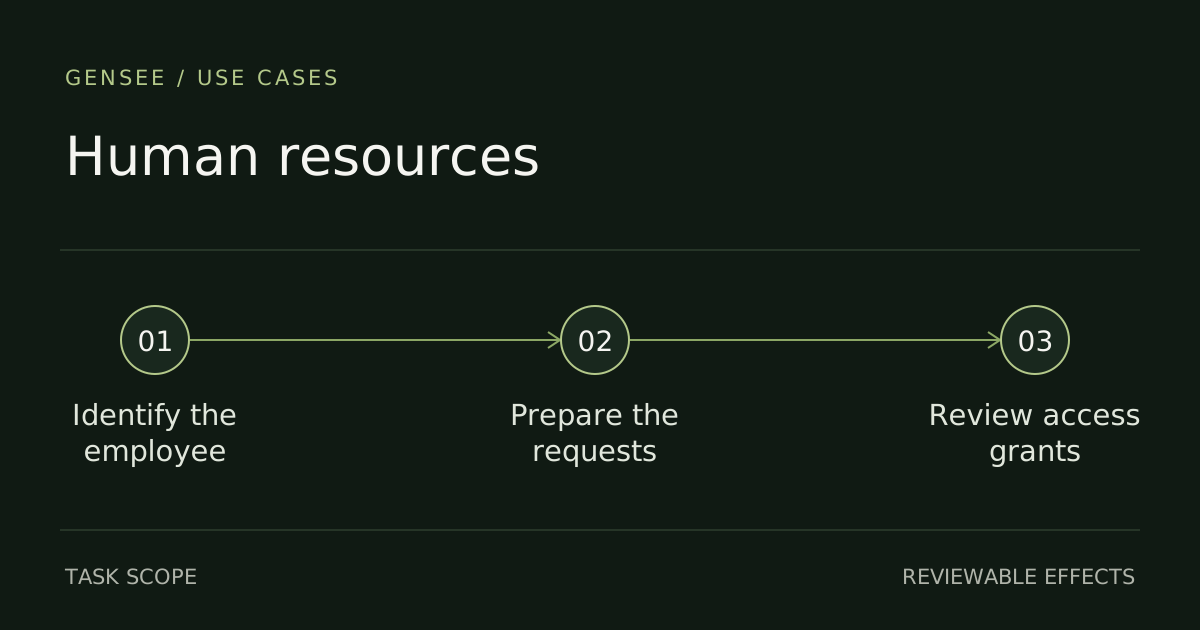
Names are convenient for people and ambiguous for record selection. Two employees can share a name, and a returning employee may have historical records that are not appropriate for the current onboarding event. Establish the employee identifier and authorized onboarding request before collecting data.
Connect the role, manager, start date, and work location to that request. If the source systems disagree, surface the discrepancy. Guessing which record is newer can turn a minor data-quality problem into equipment shipped to the wrong person or an account created under the wrong manager.
For each output, decide which fields are necessary. An equipment request may need a delivery address and device choice; an application-access request may need role and manager information. Neither automatically needs the employee’s full personnel file.
Keep preparation separate from approval
Preparing an access request and granting access are different operations. An agent can assemble the requested application, proposed role, business reason, and manager for review. The organization’s authorization process determines whether the grant is appropriate.
Copying a colleague’s permissions is especially risky. That colleague may have temporary privileges, legacy exceptions, or responsibilities the new hire does not share. Use an approved role template where available and treat deviations as explicit requests. A convenient precedent is not a policy.
Some standard onboarding actions may be preauthorized. Define them clearly enough that the agent can complete routine preparation without asking for permission at every read. Reserve review for mismatches, exceptions, and consequential grants outside the approved pattern.
A shared checklist is a new data destination
HR data often moves through documents because a checklist is easier to collaborate on than several source systems. That move changes who can see the information. A field permitted in the HR application may be inappropriate in a document shared with IT, facilities, and the hiring team.
Generate audience-specific outputs. IT needs the information required to provision the approved account; facilities needs the information required to prepare the workspace. Avoid using a comprehensive employee summary as the universal attachment for every request.
Check the actual sharing configuration before publishing. A document stored in the intended folder can still inherit broader access than expected. The destination includes the account, folder, recipients, and sharing mode—not merely the name of the collaboration service.
What to test beyond the happy path
A salary field appears in a general checklist
Use synthetic employee records that contain both necessary and unnecessary fields. Confirm that outputs exclude the unrelated sensitive fields and that helper scripts cannot bypass the same limits by exporting the entire table.
The manager changes after the request is prepared
A prepared access request can become stale. Recheck the relevant role and manager state before a consequential grant. If approval depended on a role that has since changed, return the request for evaluation rather than automatically carrying the old decision forward.
A retry creates duplicate accounts or tickets
Distinguish a failed request from an unknown response. Use the onboarding event and target resource to correlate attempts, then verify existing status before resubmitting. Multiple agents preparing different parts of onboarding should share that business context.
Connecting HR activity to its authorized purpose
Gensee Crate Enterprise applies task scope and supported execution and application controls to agent workflows. For onboarding, the relevant controls concern the selected employee, approved fields, output destinations, and account changes. Preparing a permissions request remains separate from authorizing new permissions.
Central logs and investigation can connect sensitive-data access and proposed actions to the original onboarding request. The security team should be able to investigate an exception without making every investigator a reader of the complete personnel record. Scope evidence access alongside application access.
Evaluate the configured HR and identity integrations directly. A generic tool permission is not evidence of field-level filtering, and a recorded approval is not evidence that an identity system enforced it. Demonstrate the boundary at the resource where the effect occurs.
Define success as a complete, appropriately scoped handoff
A useful pilot delivers the checklist, equipment request, and access proposals to the right owners with the right information. Test normal completion alongside wrong-employee selection, excessive fields, an overbroad role, and a changed recipient. Review the results with HR, IT, and security because each sees a different part of the workflow.
Onboarding automation should reduce coordination work without expanding the number of people and systems that can see an employee’s private information. That is an outcome a team can inspect, rather than an assumption attached to a fluent assistant.