
Gensee Personal

Delegate the big task.
Keep your machine
under your control.

Hand ambitious coding work to an AI harness in an isolated workspace. Inspect what happened and decide which results to keep.

Free for individual use · Developer-owned boundaries

The delegation loop

Big tasks.
Deliberate decisions.

Migrate an API, investigate a stubborn failure, or explore a larger refactor. Give the task room to run while keeping the result reviewable.

  1. 01

    Scope the job

    Choose the workspace, tools, and permissions the task needs.

  2. 02

    Work in isolation

    Let the harness explore without colliding with your active workspace.

  3. 03

    Inspect the evidence

    Review available activity, findings, artifacts, and resulting changes.

  4. 04

    Keep what you trust

    Accept supported changes, request another pass, or discard the result. External effects require their own controls.

Inside Personal

See the work.
Understand the concern.

Follow the review queue, harness coverage, and configuration audit. Each screen explains a different part of safer delegation.

Scroll to explore Personal

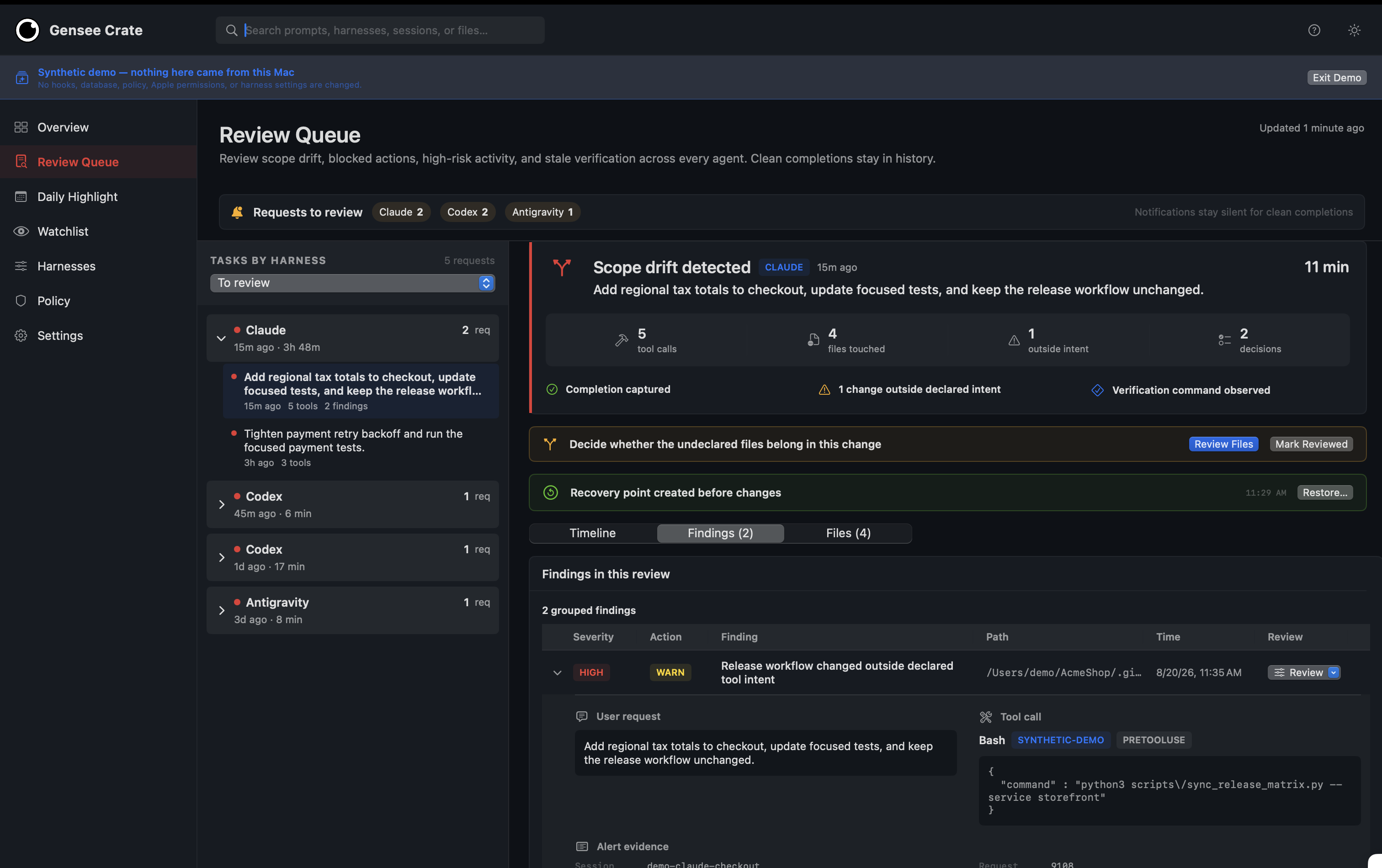
Gensee Personal Review Queue. Numbered annotations explain the task context, settings, or evidence shown. 1 2 3

01 / Review Queue

Understand the concern in context.

  1. The original task

    Compare the finding with the work the user actually requested.

  2. The scope drift

    See the release-workflow change flagged as outside the declared intent.

  3. A recovery point

    The review shows a recovery point created before the changes. Restore applies to supported local state.
View full-size screenshot
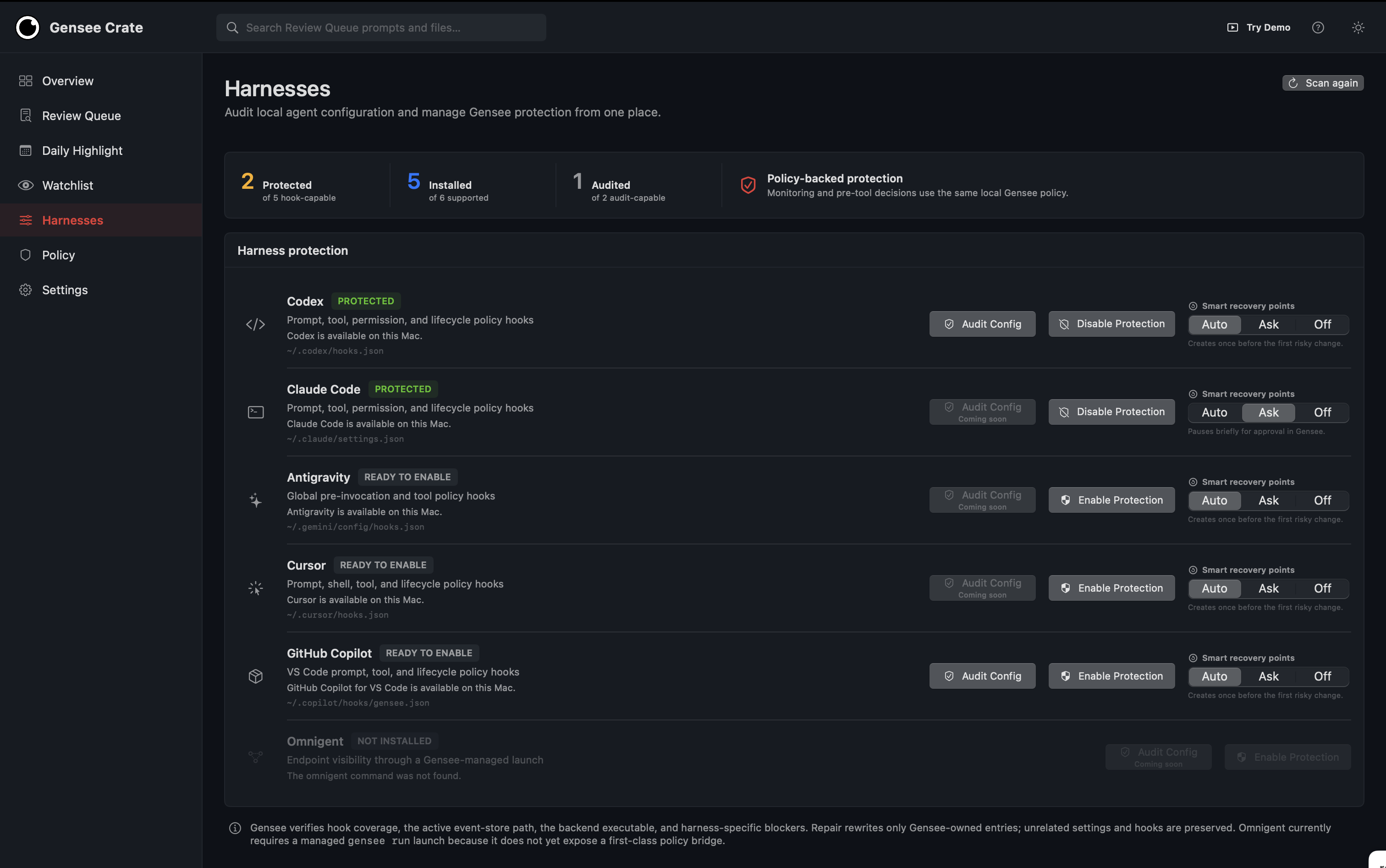
Gensee Personal Harness Coverage. Numbered annotations explain the task context, settings, or evidence shown. 1 2 3

02 / Harness Coverage

Know which tools are protected.

  1. Coverage at a glance

    Installed, protected, and audited are separate statuses. Check each before delegating work.

  2. Per-harness protection

    Review the policy-hook status for each supported coding harness.

  3. Recovery preferences

    Choose automatic, prompted, or disabled recovery-point creation where supported.

View full-size screenshot
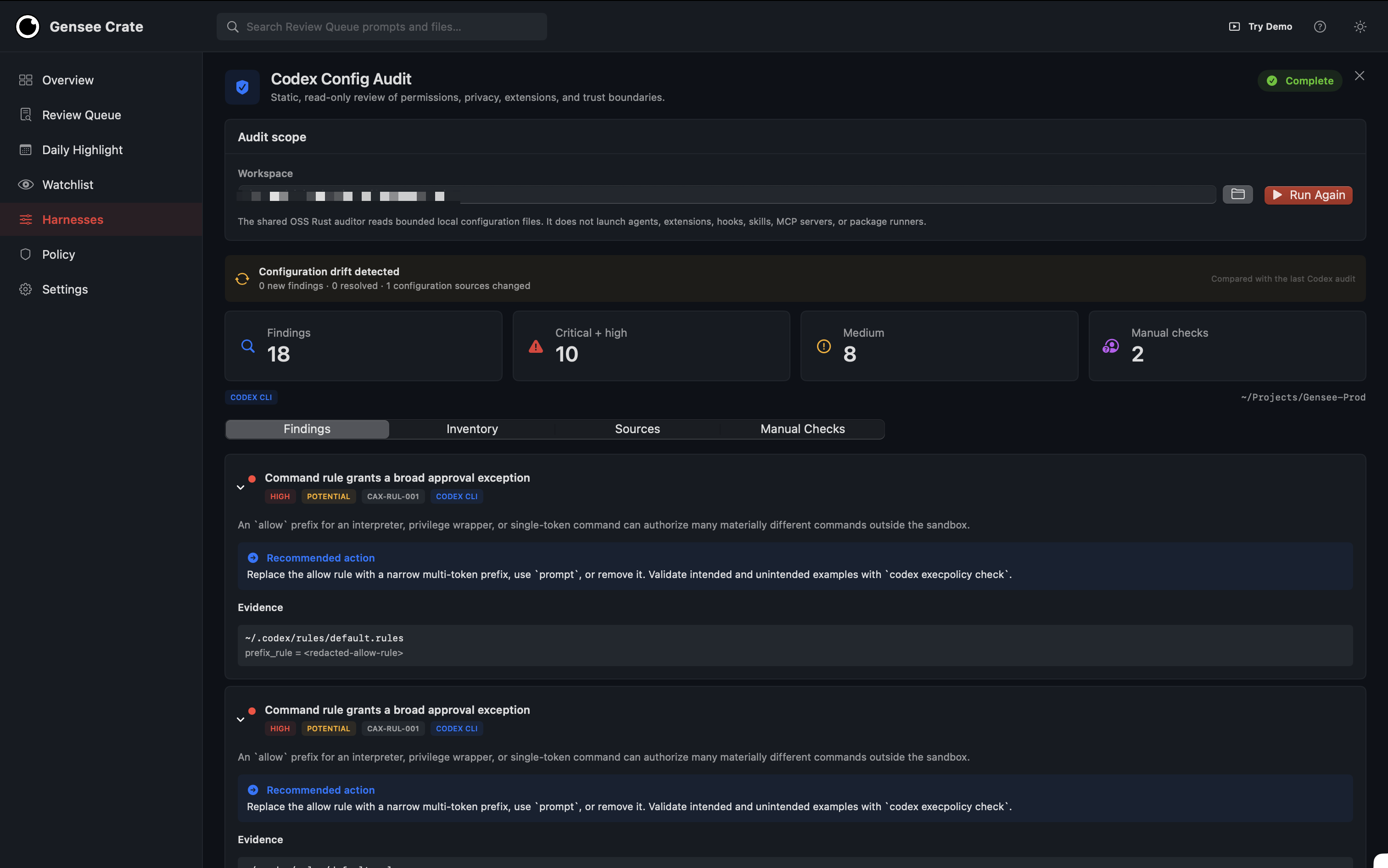
Gensee Personal Configuration Audit. Numbered annotations explain the task context, settings, or evidence shown. 1 2 3

03 / Configuration Audit

Spot risky settings before the task.

  1. A bounded audit

    The audit reads local configuration without launching agents, extensions, or package runners.

  2. Configuration drift

    Compare the current configuration with the previous audit.

  3. An actionable finding

    Read the approval-rule concern, recommended change, and supporting configuration evidence.

View full-size screenshot

Actual product screens. The Review Queue uses synthetic demonstration data. Harness status and audit results show the captured configuration; coverage depends on the harness, platform, and release.

Personal or company-wide?

Your workspace.
Your boundaries.

Personal is for an individual developer. Gensee Enterprise brings company-managed task authority, supported execution controls, and shared security investigations to organizational workflows.

Bringing AI to a team?

Give employees room to work while security teams govern the company’s boundaries and investigate consequential exceptions.

Let’s put it to work

More possibility.
Clearer boundaries.

See Gensee in action, or help shape what comes next. Start with the work your people and agents actually do.