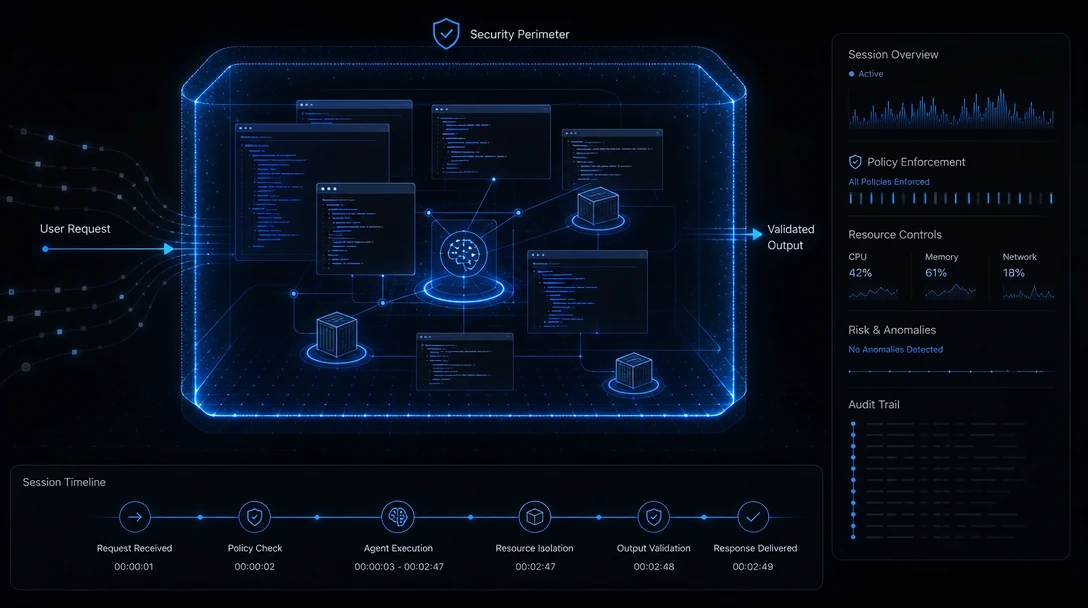
TL;DR: Claude Code ships six permission modes, an OS-enforced Bash sandbox, ordered deny/ask/allow rules, and managed settings that developers cannot override. Two defaults decide most of your real risk: the sandbox grants read access to the entire computer unless you list exclusions, and it fails open if it cannot start. Fix those two, then plan for the fact that every one of these controls evaluates a single session.
Most Claude Code hardening guides are out of date within a month. Anthropic ships permission behavior continuously, and settings that were accurate in the spring have since been renamed, split, or superseded. This guide states what the documentation says as of September 2026, names the version where behavior changed, and separates the controls that are hard boundaries from the ones that are best-effort.
The short version for a security team evaluating a rollout: the native controls are genuinely good, they are more configurable than most teams realize, and two of their defaults will surprise you.
Table of Contents
- What Is Claude Code Security?
- The Six Permission Modes
- What No Mode Auto-Approves
- The Bash Sandbox: Coverage and Failure Behavior
- Credentials: The Default That Catches Teams Out
- Settings Precedence and Managed Deployment
- Audit Evidence: What You Get and What You Build
- An Enterprise Rollout Sequence
- Where Session-Scoped Controls End
- Frequently Asked Questions
What Is Claude Code Security?
Claude Code security is the set of mechanisms built into the Claude Code CLI that decide what an agent session may do: which files it can read or write, which shell commands and network destinations it can reach, and whether each of those is approved, logged, or blocked at the moment it is attempted. It combines permission modes, ordered allow/ask/deny rules, an OS-level Bash sandbox, lifecycle hooks, and organization-deployed managed settings.
It is a separate discipline from securing the code the agent writes:
- It governs actions, not output. It decides whether the agent may run a delete command or call an external API. Static analysis and dependency scanning decide whether the resulting code is safe, later in the pipeline.
- It is enforced at runtime, not in CI. Permission checks, the sandbox, and hooks fire the moment a tool call is attempted. Pipeline scanning runs after a commit already exists.
- It is scoped to a session. Every control described below evaluates the action in front of it, in the session it belongs to.
The Six Permission Modes
Earlier write-ups of Claude Code, including several published in mid-2026, describe four permission modes. The permission modes documentation currently documents six. The mode sets the baseline for what runs without a prompt; permission rules layer on top.
| Mode | Runs without asking | Intended for |
|---|---|---|
default (Manual) |
Reads only | Reviewing every action; sensitive work |
acceptEdits |
Reads, file edits, common filesystem commands (mkdir, touch, mv, cp) |
Iterating on code you are reviewing |
plan |
Reads, plus classifier-approved commands where auto mode is available | Exploring a codebase before changing it |
auto |
Everything, with background safety checks | Long tasks, reducing prompt fatigue |
dontAsk |
Only pre-approved tools | Locked-down CI and scripts |
bypassPermissions |
Everything | Isolated containers and VMs only |
Two details matter for policy writing. The mode shown as Manual in the CLI and extensions has the config value default, which is what hooks and SDK integrations must use; the manual alias requires v2.1.200 or later. And dontAsk is not a quieter Manual mode: it auto-denies anything that would have prompted, which makes it appropriate for CI and wrong for interactive work.
Auto mode replaces your review with a separate classifier model. Its default blocklist is specific and worth reading before you enable it: downloading and executing code such as curl | bash, sending sensitive data to external endpoints, production deploys and migrations, mass deletion on cloud storage, granting IAM or repository permissions, force push, git reset --hard and git clean -fd, terraform destroy and its equivalents, and commits or pushes that would send secrets outside the repository.
The classifier's trust model has an edge that is easy to miss. It trusts your working directory and the remotes that were configured when the session started. A remote added or repointed mid-session with git remote add or git remote set-url is not trusted. Before v2.1.200, it was.
What No Mode Auto-Approves
A short list of actions is never auto-approved in any mode, including bypassPermissions. This is the closest thing Claude Code has to a hard floor:
- Tools matched by an explicit
askrule - Tools that require user interaction, including
AskUserQuestionand MCP tools markedrequiresUserInteraction rmandrmdirremovals targeting a critical path, such asrm -rf /orrm -rf ~. No allow rule and noPreToolUsehook returning"allow"approves these- Cross-session messaging safeguards
Alongside this, deny rules block in every mode, bypassPermissions included, while allow rules have no effect in bypassPermissions. If you write one organizational rule, make it a deny rule; it is the only category that survives every mode.
A deny rule is also a statement written before the session starts, matched against one call at a time. Runtime control infrastructure like Gensee Crate works on the other side of that line, judging the effect a command actually produced rather than the pattern it matched going in.
bypassPermissions itself has more guardrails than its reputation suggests. It cannot be entered from a session that did not start with it enabled. Claude Code refuses it when running as root or under sudo on Linux and macOS, refuses it in a session started with --restricted (v2.1.248+), and Claude Code on the web ignores it entirely, so a repository's checked-in settings cannot start a cloud session in bypass mode. Administrators can remove it with permissions.disableBypassPermissionsMode in managed settings, and remove auto mode with disableAutoMode.
The Bash Sandbox: Coverage and Failure Behavior
The Bash sandbox uses operating system primitives: Seatbelt on macOS, bubblewrap on Linux and WSL2. Native Windows is not supported; on Windows you run Claude Code inside a WSL2 distribution.
Its default write boundary is narrow and its default read boundary is not:
- Writes: the working directory and its subdirectories, any directories added with
--add-dirorpermissions.additionalDirectories, and the session temp directory. - Reads: the entire computer, except directories you explicitly deny.
The documentation is direct about what that second line means in practice: the default "still allows reading credential files such as ~/.aws/credentials and ~/.ssh/." A sandbox that blocks writes everywhere outside your project while permitting reads of your cloud credentials is doing exactly what it was designed to do, and it is not what most teams assume they switched on.
Network access is the inverse, and stricter than most expect. Claude Code pre-allows no domains by default; the first time a sandboxed command needs a host, it prompts. strictAllowlist (v2.1.219+) denies instead of prompting, and allowManagedDomainsOnly in managed settings honors only the organization's entries. One caveat for teams whose threat model includes exfiltration over an allowed host: the built-in proxy enforces the allowlist on the requested hostname and, by default, does not terminate or inspect TLS.
Three coverage limits belong in any honest assessment:
- The sandbox fails open. If it cannot start because dependencies are missing or the platform is unsupported, Claude Code shows a warning and runs commands unsandboxed. Set
sandbox.failIfUnavailabletotrueto make that a hard failure. For a managed deployment that treats sandboxing as a security gate, this is not optional. - The unsandboxed retry escape hatch exists by design. Commands that cannot run sandboxed fall back to the regular permission flow. Claude Code labels their prompt "Bash command (unsandboxed)" so you can tell them apart, which helps a human reviewer and does nothing for an automated one.
- It covers the Bash tool. Reducing prompts for other tools is the permission modes' job, and outer isolation, such as dev containers or VMs, is a separate layer.
What the sandbox does enforce absolutely is its own protected-path list: the .claude settings, skills, agents, commands and hooks directories, .mcp.json, shell startup files, .gitconfig, .vscode and .idea, .git/hooks and .git/config, and most of ~/.claude including the credential store. The reasoning is sound: a command that could edit those files could grant itself permissions or register a hook that runs outside the sandbox. There is no way to exempt one of these paths. An allowWrite entry or an Edit allow rule does not lift the protection; only disabling filesystem isolation entirely does.
Credentials: The Default That Catches Teams Out
Because sandboxed reads default to the whole machine, credential protection is opt-in, and the documentation says so plainly: there is no built-in credential deny list, so only the files and variables you list are restricted.
The mechanism is sandbox.credentials (v2.1.187+), which takes file paths and environment variables with a mode:
{
  "sandbox": {
    "enabled": true,
    "credentials": {
      "files": [
        { "path": "~/.aws/credentials", "mode": "deny" },
        { "path": "~/.ssh", "mode": "deny" }
      ],
      "envVars": [
        { "name": "GITHUB_TOKEN", "mode": "deny" },
        { "name": "NPM_TOKEN", "mode": "deny" }
      ]
    }
  }
}
deny entries merge across every settings scope the session loads, and no scope can remove one another scope added, so this is safe to distribute organizationally. A mask mode also exists, showing sandboxed commands a placeholder while the proxy swaps in the real value on allowed outbound requests. For subprocesses regardless of sandboxing, CLAUDE_CODE_SUBPROCESS_ENV_SCRUB is the broader tool.
Worth being precise about why this matters beyond a misconfiguration checklist. Gensee's AP-004 credential harvesting analysis describes the pattern this default sits inside: legitimate debugging, deployment, CI and infrastructure work leads an agent toward secrets, tokens, kubeconfigs and authenticated CLI state without any step looking wrong on its own. The relevant question is not whether an agent was told to read ~/.aws/credentials. It is whether a plausible debugging task would route it there, and whether you would know afterward.
Settings Precedence and Managed Deployment
Claude Code resolves settings in a fixed order, highest precedence first:
- Managed settings, deployed by your organization via
managed-settings.json, MDM policy, or server-managed settings. Nothing a developer sets overrides them, including--settingson the command line. - Command-line arguments, scoped to one session.
- Project local settings (
.claude/settings.local.json) - Shared project settings (
.claude/settings.json) - User settings (
~/.claude/settings.json)
Two behaviors surprise people writing their first managed policy. List keys merge instead of overriding: permissions.allow entries from every file combine, so a project file can add permissions your user file did not grant. Deny rules are the counterweight. And for a few security-sensitive keys, Claude Code honors a stricter value from a lower level over a managed one, so a managed policy sets a floor rather than an exact configuration.
Alongside settings, ConfigChange hooks can audit or block configuration changes during a session, which closes the gap between deploying a policy and knowing it stayed in force.
Audit Evidence: What You Get and What You Build
Claude Code emits OpenTelemetry metrics and events for usage monitoring, and cloud sessions on Claude Code on the web log operations for compliance. Credentials are stored in the macOS Keychain where available and protected by file permissions on Windows and Linux. Anthropic publishes SOC 2 Type 2 and ISO 27001 documentation through its Trust Center.
What that gives you is a good record of what the tool did. What compliance reviewers usually ask for is different: a record that shows an action, the authority under which it ran, the effect it produced, and enough context to reconstruct why it was permitted. Telemetry emitted by the agent describes the agent's own view of its actions. Gensee's trace analysis of eight autonomous agent runs makes the distinction concrete: what exposed the two boundary crossings in that study was service semantics, independent evidence and persistence, not activity volume. Evidence produced outside the agent answers questions that evidence produced by the agent structurally cannot.
Runtime control infrastructure such as Gensee Crate sits at that layer, recording effects independently of the process that caused them so the record does not depend on the agent's own account of itself.
An Enterprise Rollout Sequence
The order below front-loads the controls that cannot be undone by a developer's local settings.
- Deploy managed settings first. Set
permissions.denyrules for anything categorically prohibited, and decide explicitly ondisableBypassPermissionsModeanddisableAutoMode. Deny rules are the only category that holds in every mode. - Turn the sandbox into a gate, not a suggestion.
sandbox.enabled: trueplussandbox.failIfUnavailable: true. Without the second, an unsupported platform silently downgrades to no sandbox. - List your credentials. There is no built-in list. At minimum
~/.ssh,~/.aws/credentials, and the environment variables your CI tooling exports. - Decide the network posture.
allowedDomainswithallowManagedDomainsOnlyfor a locked-down fleet; plain prompting for teams that need to move faster. Note the TLS inspection default if egress is in your threat model. - Pick a default mode per context. Manual for sensitive repositories,
acceptEditsfor routine work,dontAskwith an explicit allowlist for CI. ReservebypassPermissionsfor isolated containers. - Wire telemetry before the pilot, not after. OpenTelemetry export plus
ConfigChangehooks to catch policy drift. - Decide what independent evidence you need for the audits you actually face, and build that layer deliberately.
Anthropic's own guidance sits alongside this and is worth reading directly: use project-specific permission settings for sensitive repositories, consider dev containers for additional isolation, and audit permission settings regularly with /permissions. For the general, tool-agnostic version of this exercise, Gensee's 15 questions to answer before deploying AI coding agents covers the ground this list assumes.
Where Session-Scoped Controls End
Everything above evaluates one action, in one session, against a policy that was written before the session started. That is the correct design for a permission system, and it is a genuine boundary rather than a flaw.
The gap it leaves is temporal. A permission mode cannot see that a file an agent is reading today was written by a different session yesterday. A sandbox cannot see that a domain a developer approved in one session is the same domain that received repository contents in another. A hook fires on an event and has no memory of the last one. Gensee's research on multi-session agent safety documents how context drift, state inconsistency and session-boundary confusion accumulate across exactly this seam.
That is a different problem from the one permission modes solve, and it needs a control that observes effects across sessions rather than approvals within one.
Frequently Asked Questions
How many permission modes does Claude Code have?
Six, as documented in September 2026: default (shown as Manual), acceptEdits, plan, auto, dontAsk, and bypassPermissions. Older write-ups describing four modes predate acceptEdits and plan being documented as modes in their own right.
Does the Claude Code sandbox stop it from reading my SSH keys?
Not by default. The sandbox's default read behavior covers the entire computer except directories you deny, and Anthropic's documentation notes explicitly that this still allows reading ~/.aws/credentials and ~/.ssh/. There is no built-in credential deny list; you add paths under sandbox.credentials or filesystem.denyRead.
What happens if the Claude Code sandbox cannot start?
By default Claude Code shows a warning and runs commands without sandboxing. Set sandbox.failIfUnavailable to true to turn that into a hard failure instead. Managed deployments that treat the sandbox as a security control should always set it.
Can a developer override our organization's Claude Code policy?
Not for managed settings, which sit at the top of the precedence stack; even --settings on the command line does not override a managed key. Two caveats: list keys such as permissions.allow merge across files rather than override, so a project file can add entries, and for a few security-sensitive keys Claude Code honors a stricter lower-level value over the managed one.
Is bypassPermissions safe inside a container?
It is the only context Anthropic recommends for it, and even there some floors remain: explicit ask rules still prompt, and rm targeting a critical path is never auto-approved. Claude Code refuses the mode as root or under sudo, so containers should run it as a non-root user; the dev container configuration does this.
Conclusion
Claude Code's native controls are more capable than a quick read suggests, and their weak points are defaults rather than gaps: reads default to the whole machine, the sandbox fails open, and there is no credential list until you write one. All three are one settings file away from being fixed.
What remains after they are fixed is the harder question. Every control here evaluates a single session, and the risks that matter most to enterprise teams accumulate across many. Gensee Crate works at that layer, recording effects independently and carrying context across the session boundary where native controls end. To discuss a deployment, book a demo or see pricing; the Gensee blog covers the underlying research in more depth.