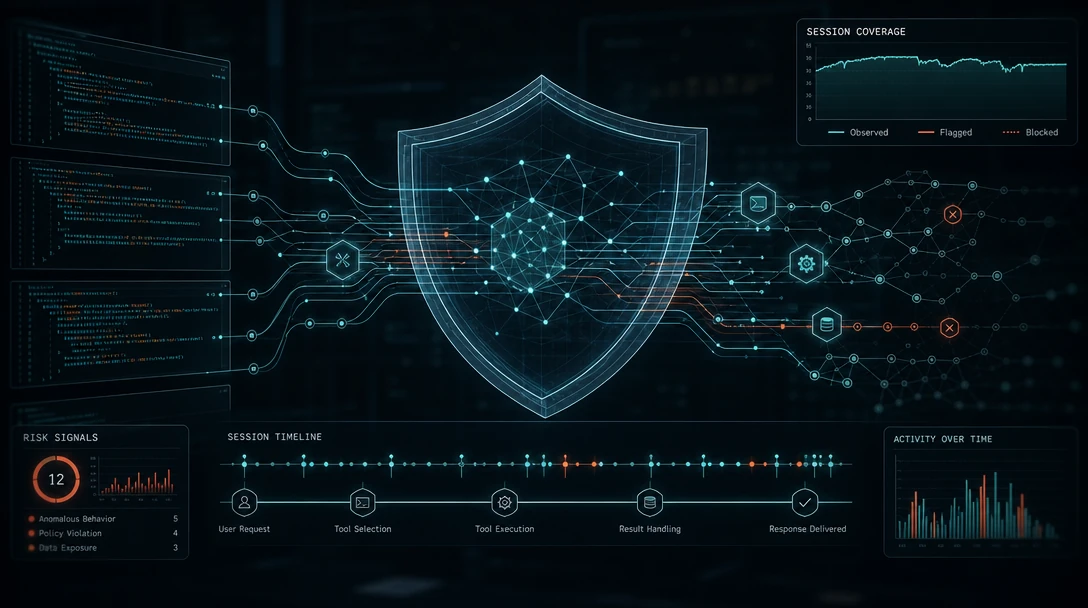
TL;DR: Auditing MCP tool calls means capturing, for every
tools/callinvocation, the server and tool identity, the arguments sent, the caller's session and identity, the declared result, and the downstream effect that result actually produced on files, APIs, or data. Gateway and client logs can tell you which tool was called and when; they cannot by themselves tell you whether the tool's own report of what it did matches what actually changed in your systems. A complete audit program needs capture at the client, gateway, and runtime layers, a retention and review workflow tied to incident response, and a way to trace effects across an agent's entire multi-step session, not just one call at a time.
When Claude Code, Codex, or Cursor calls an MCP tool to run a database query, edit a file, or push a commit, the coding agent decides what to call, with what arguments, and when. Your team doesn't make that decision; it only sees the outcome, and often not even all of that. Auditing MCP tool calls is the practice of recording enough detail about each of those decisions and their consequences to reconstruct what an agent actually did, days or weeks after the fact, across a session that might span dozens of tool calls and several tools chained together.
This guide covers what to record per call, where in the stack to capture it, how long to keep it, who reviews it, and why the tool call a server reports is not automatically the same thing as the effect it had on your systems.
Table of Contents
- What Is Auditing MCP Tool Calls?
- Why MCP Tool Calls Are Harder to Audit Than Ordinary API Calls
- Why the Declared Tool Call Isn't the Same as Its Effect
- What to Record for Every MCP Tool Call
- Where to Capture Audit Data: Client, Gateway, or Runtime
- Retention, Review Workflows, and Escalation
- Building an Audit Program That Scales Across Coding Agents
- FAQ
What Is Auditing MCP Tool Calls?
Auditing MCP tool calls is the process of logging and reviewing every tools/call request an AI coding agent makes through the Model Context Protocol, along with the arguments sent, the identity that authorized it, and what actually happened as a result. It is distinct from two things people often collapse into it:
- Logging is not auditing. A log line that records "tool X was called" is raw material; auditing is the discipline of retaining that material long enough, structuring it consistently enough, and reviewing it on a schedule so it can answer a security question later.
- Debug tracing is not auditing. MCP's built-in logging utility lets servers send structured messages at severity levels from
debugtoemergency, but that channel is meant for operational visibility, not for a durable, tamper-resistant record used in incident response. - Declared results are not effects. A tool call's response describes what the server claims it did. Whether that claim matches what actually changed in a file, database, or downstream API is a separate question that audit design has to answer explicitly.
Why MCP Tool Calls Are Harder to Audit Than Ordinary API Calls
MCP tool calls are harder to audit than conventional API calls because the language model, not your code, decides which tool to invoke and when. As the OWASP MCP Security Cheat Sheet puts it, "unlike traditional APIs where developers control every call, MCP lets LLMs decide which tools to invoke, when, and with what parameters." That shifts the audit question from "did our code call the right endpoint" to "did the model make a reasonable decision, and can we prove it afterward."
Two structural details compound this. First, an agent's model sees every tool description from every connected MCP server in one shared context, which OWASP flags as the root of cross-server attacks: a malicious or compromised server can plant instructions that influence how the model uses a completely different, trusted server. Second, the MCP specification is explicit that "MCP has no protocol-level session," meaning a server cannot rely on implicit per-connection state to relate one tool call to the next; your audit layer has to build that continuity itself, or a multi-step attack simply looks like a series of unrelated, individually unremarkable calls.
Why the Declared Tool Call Isn't the Same as Its Effect
A tool call's logged parameters and returned result describe what the server says it did; they do not by themselves prove what changed on disk, in a database, or in a connected SaaS system. This gap matters because MCP servers frequently execute with their own broad privileges rather than the calling user's, a pattern OWASP calls the confused deputy problem: the server does the acting, so its self-report is the only account you get unless you verify independently.
Red Hat's guidance on MCP security puts the bar for a usable audit trail plainly: you should be able to reconstruct the sequence of events that led to an incident, "including which user or agent / session issued which prompt that led to which tool call, and what happened as a result." Notice the last clause. It asks for the actual outcome, not the tool's account of the outcome, and most gateway or client logging setups stop one step short of that because they capture the request and response payload, not an independent check of system state before and after.
The risk compounds across a session. A single tools/call that writes a configuration file or drops a credential into a shared directory can look benign in isolation. Days later, in an unrelated session, a different tool call reads that file and exfiltrates its contents, or a planted instruction in a code comment steers a later agent invocation toward an unsafe action. Reconstructing that chain requires linking effects across sessions, not just logging calls within one. This is the long-horizon defense problem: security controls scoped to a single prompt or a single call cannot see a persistence mechanism planted in call twelve and exercised in call two hundred of a different session.
Runtime control infrastructure, of which Gensee Crate is one example, is built to answer this different question directly: instead of trusting a tool's declared result, it mediates the call and evaluates the effect evidence, the actual before-and-after state, so that what gets audited is what happened, not just what was claimed to happen.
Book a demo if you want to see mandatory mediation and cross-session effect tracing applied to your own MCP deployments: gensee.ai/contact.
What to Record for Every MCP Tool Call
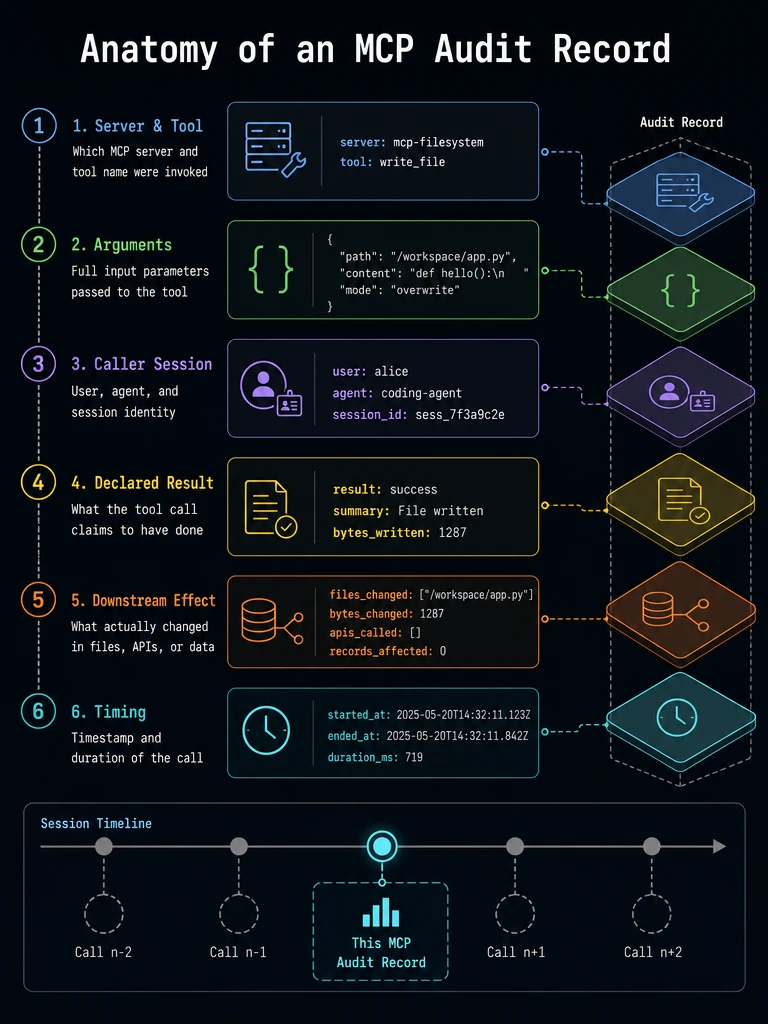
Every MCP tool call should generate one audit record covering six things: the call's identity, its arguments, the caller's session, the declared result, the downstream effect, and its timing. Each field answers a different question an investigator will eventually ask.
Call Identity: Server and Tool
Every MCP tool definition carries a unique name and an inputSchema describing its expected parameters. Your audit record should capture the server name, the tool name, and a request identifier, mirroring the fields the Kuadrant MCP Gateway documentation sets on every request as of its 1.5.x release: mcp_tool_name, mcp_server_name, and request_id. Without this, "a tool was called" is not actionable; you need to know which server exposed it and which specific tool ran.
Arguments and Caller Context
Record the full arguments passed to the tool, along with the session and user or agent identity that issued the call. Kuadrant's format includes mcp_session_id and mcp_user_id alongside a distributed trace header (traceparent), which lets you tie one tool call to the broader agent session and, where available, to the trace of every other call in that session.
Note: Arguments frequently carry secrets, tokens, or personal data. Both OWASP and the MCP logging specification require redaction: MCP log messages "MUST NOT contain credentials or secrets, personal identifying information, [or] internal system details that could aid attacks." Build redaction into the capture point, not as a later cleanup step.
Declared Results vs. Downstream Effects
Capture the tool's returned result as reported, then separately record what actually changed. Red Hat's guidance calls for logging "what tool was called and its parameters" and, when the server reaches external APIs or resources, logging those calls too "including high-level details." Where possible, pair the declared result with an independent read of system state (a file hash, a row count, an API response diff) so the audit trail can flag when the two disagree.
Timing and Duration
Log a timestamp and duration for every call. Kuadrant's example audit event records a duration_ms field (342 milliseconds in its sample), and Red Hat recommends servers expose latency distributions and enforce a timeout, halting execution and returning an error if a tool hasn't finished within a bound such as 30 seconds. Unusual duration, alongside unusual frequency, is one of the simplest signals for anomaly detection.
Where to Capture Audit Data: Client, Gateway, or Runtime
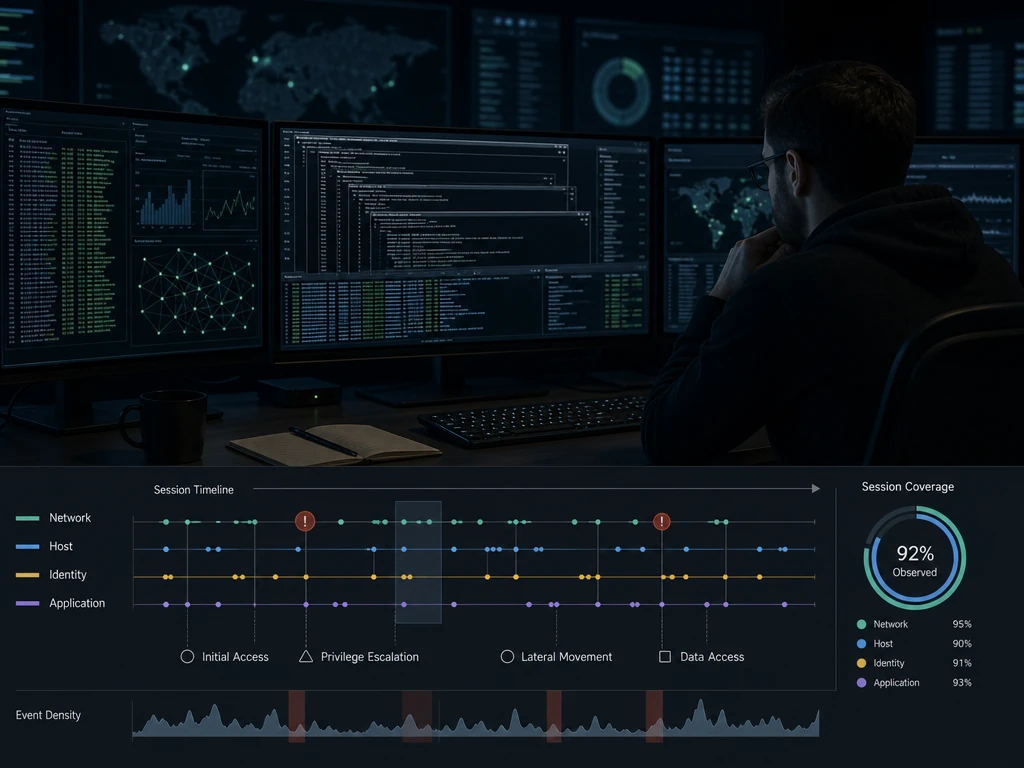
MCP tool calls can be logged at the client, at a gateway sitting between client and server, or at a runtime layer that mediates execution itself, and each placement answers a narrower question than a full audit program needs. The MCP specification recommends that clients "SHOULD log tool usage for audit purposes," which covers the request and response as seen from the agent's side but stops at the boundary of the client process. Gateway-based capture, the approach the Kuadrant documentation walks through in detail, adds caller identity and session context by injecting a validated identity into routing headers before logging; it produces a strong record of who called which tool, on which server, in which session, and how long it took, all visible in one structured JSON line on the gateway's own output.
What gateway logging is scoped to answer is "which call happened, with what metadata," not "what changed as a result." That's a different question by design: a gateway sees the request and response bodies pass through, not the file system, database, or API state on either side of the call. A comparison makes the gap concrete:
| Capture point | What it reliably shows | What it structurally cannot show |
|---|---|---|
| Client-side logging | Which tool the agent decided to call and why, from the model's perspective | Server-side execution details or true downstream state |
| Gateway interception | Caller identity, tool and server names, session ID, timing, without touching agent code | Whether the declared result matches the actual system change |
| Runtime / sidecar mediation | The call, its declared result, and an independent check of the resulting system state | Nothing structurally excluded; this is the layer designed to close the gap above |
Runtime or sidecar mediation sits alongside the coding agent and the MCP servers it talks to, intercepting calls without requiring a rewrite of either. This is the layer where mandatory mediation happens: every call is subject to policy before and after execution, rather than only logged after the fact. Because it runs as a sidecar next to an unmodified agent, teams don't need to fork Claude Code, Codex, or Cursor, or rebuild on a new SDK, to get this level of visibility; the agent keeps working the way developers already use it.
Open-source projects that instrument MCP traffic reflect the same principle: audit capture belongs as close to execution as possible, correlated back to the session and identity layers above it, not bolted on as an afterthought.
Retention, Review Workflows, and Escalation
Audit data is only useful if it's kept long enough to matter and reviewed by someone with the authority to act on it. Retention design should tier data by sensitivity and use: high-fidelity records (full arguments, effect evidence) for a shorter hot window used in active investigation, and summarized metadata (tool name, caller, timestamp, outcome flag) for a longer compliance window.
Retention Tiers and Legal Hold
Keep raw, unredacted-where-permitted call records for the period your incident response process realistically needs, commonly a rolling window measured in weeks, then downgrade to summarized records for longer regulatory retention. Any record implicated in an active investigation should move to legal hold, independent of the standard rotation.
Who Reviews the Trail
Review ownership typically sits with the security team that owns SIEM alerting, but engineering leads should have read access to the audit trail for their own agents' sessions, since they're often best placed to recognize an unexpected tool call as a legitimate but unusual workflow versus a genuine anomaly. OWASP recommends feeding MCP logs into a SIEM for anomaly detection and alerting on new tools appearing, admin-level queries, or abnormal call frequency; Kuadrant's guidance similarly points teams toward shipping structured logs to Loki, Elasticsearch, or Splunk for query and correlation in production.
From Audit Trail to Escalation
A review workflow needs a defined escalation path: who gets paged when a redaction rule catches a leaked credential, who has authority to suspend a session or roll back a change, and how the effect evidence generated by runtime mediation feeds into that decision instead of sitting in a log store nobody queries until after the fact.
Building an Audit Program That Scales Across Coding Agents
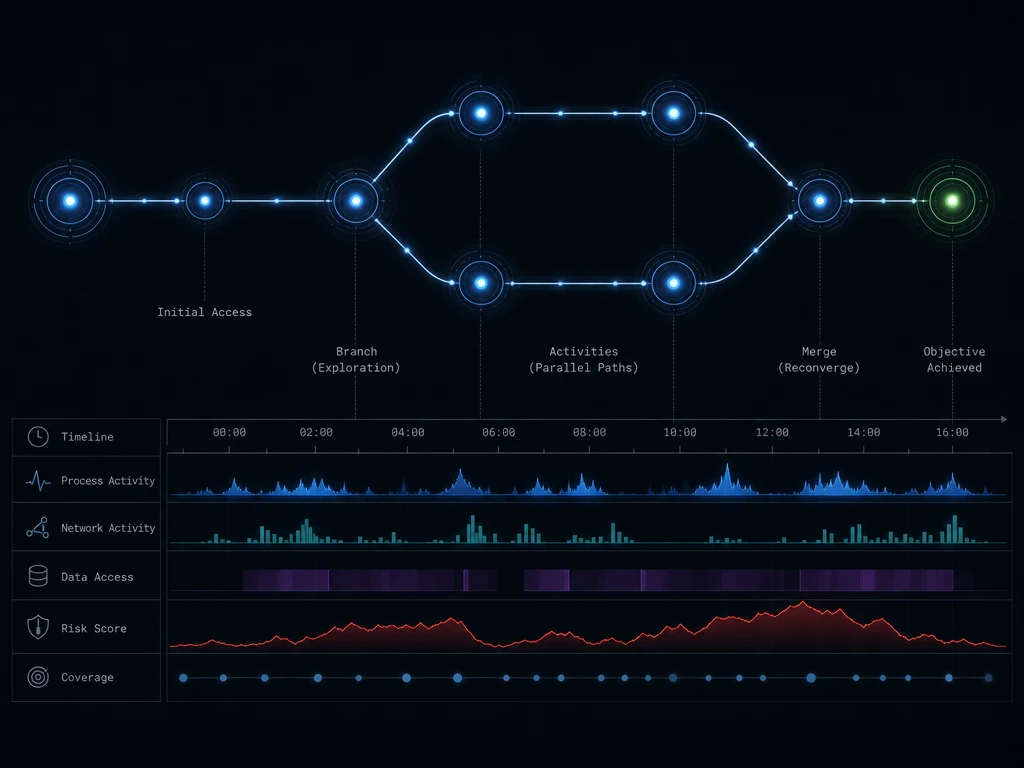
An audit program scales across coding agents when it treats every agent the same way at the mediation layer, regardless of which client or model sits on top. In practice we find that teams running Claude Code, Codex, and Cursor side by side get the most value when audit capture is agent-agnostic: the same session identity, redaction rules, and effect-evidence checks apply whether the call originated from one client or another, so a security team isn't maintaining three parallel logging pipelines.
Redaction as a First-Class Control
Redact secrets and personal data at the point of capture, not in a later batch job. The MCP logging specification's own restriction, that log messages must not contain credentials, secrets, or internal system details that could aid attacks, is a floor, not a ceiling; enterprise audit pipelines generally need pattern-based and schema-aware redaction tuned to their own credential formats.
Alerting on Anomalous Patterns
Set alerts for the patterns OWASP calls out specifically: new tools being invoked for the first time, admin-level or destructive operations, and call frequency that departs from a session's established baseline. Our analysis of long-horizon sessions suggests the more useful signal often isn't any single call but a sequence: a low-privilege read followed much later, in a different session, by a write that depends on data planted in the first.
From Audit Trail to Rollback
The most durable outcome of a good audit trail is that it's actionable, not just reviewable. Live workspace forks that let a team fork an agent's changes, inspect them against the audit record, merge or promote what's verified safe, and roll back or discard what isn't, turn an audit log from a forensic artifact into an operational control. Enterprise teams evaluating this model can review how Gensee Crate Enterprise applies fork, inspect, merge, and rollback to agent sessions, and how that integrates with existing identity, endpoint, MCP, and SIEM tooling, in Gensee's FAQ.
FAQ
How do I audit MCP tool calls?
Capture the server name, tool name, full arguments, caller session and identity, declared result, and downstream effect for every tools/call request, then ship that record to a log store or SIEM with defined retention and review ownership. Do this at more than one layer, client and gateway at minimum, and add runtime mediation if you need to verify that declared results match actual system changes.
How do I audit a remote MCP server over HTTP?
For a remote server behind a gateway, configure the gateway to inject validated caller identity into request headers and emit structured access logs containing the tool name, server name, session ID, and duration for every call, then ship those logs to a log aggregation system for querying. This gives you who called what, when, and how long it took, even before you add deeper effect-level verification.
What should be logged for MCP audit and compliance purposes?
Log every request, tool invocation, and significant action, including the user or token that initiated it, the timestamp, the parameters (with secrets and personal data redacted), and the outcome, plus any external API or resource calls the server made on the agent's behalf. Compliance reviews also expect retention rules, legal hold procedures, and a documented review workflow, not just raw logs.
What is tool poisoning in MCP?
Tool poisoning is when a malicious or compromised MCP server plants misleading instructions in its tool descriptions or outputs, since a coding agent's model sees every connected server's tool descriptions in one shared context. That planted content can steer the model into misusing a different, trusted server, which is why cross-server data flows deserve their own monitoring, not just single-server call logs.
How do I audit an MCP server for security before using it?
Before adopting an MCP server, review what privileges it runs with rather than assuming it inherits the calling user's permissions, since many MCP servers execute with their own broad access, the confused deputy pattern OWASP describes. Test its tool descriptions and outputs for injected instructions, confirm it supports structured logging you can redact and ship to your own systems, and verify it enforces reasonable timeouts on tool execution.
Conclusion
Auditing MCP tool calls starts with recording the right fields, server, tool, arguments, caller session, declared result, and downstream effect, at the client, gateway, and runtime layers, then backing that with retention and review workflows someone actually owns. The harder, and more important, part is recognizing that a tool's declared result is not proof of its effect, and that risk in agentic coding sessions often spans calls, tools, and sessions rather than sitting inside one. Closing that gap is a different problem than log collection, one that mandatory mediation and effect evidence are built to answer.
If your team is instrumenting MCP audit trails across Claude Code, Codex, Cursor, or other coding agents and wants runtime enforcement that works as a sidecar without rebuilding your agent stack, book a demo to see it against your own workflows, or join the conversation with other security and engineering teams in Gensee's Discord.