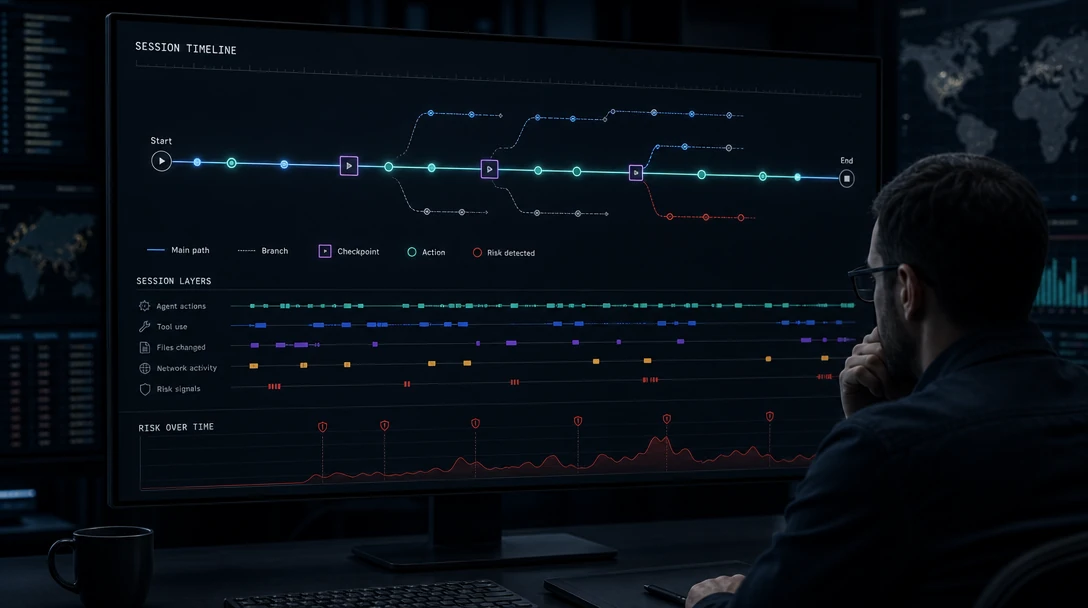
TL;DR: Cursor's agent reads files and searches code without approval, edits workspace files without approval except configuration files, and requires approval for terminal commands and every MCP tool call. Sandboxing is a separate layer with a hard Linux kernel requirement, and Cursor's own documentation says Auto-review "is not a security boundary." An enterprise baseline is mostly about which of those defaults you change centrally.
Cursor is deployed across developer fleets faster than most security teams have written a standard for it. This page is that standard's raw material: what the agent can reach by default, which controls are hard boundaries and which are best-effort, and which settings an administrator can enforce so a developer cannot undo them.
Everything here is verified against Cursor's documentation and security page in September 2026. Cursor's security page carries its own date stamp of August 25, 2026, which is worth checking when you read this, because these defaults move.
Table of Contents
- What Is Cursor Security?
- What the Agent Can Reach by Default
- Run Modes: The Autonomy Control
- Sandboxing Is a Separate Layer
- MCP: Approval Per Connection and Per Call
- Privacy Mode and Data Handling
- Enterprise Controls That Actually Hold
- A Deployment Baseline
- What Sits Outside the IDE's Frame
- Frequently Asked Questions
What Is Cursor Security?
Cursor security is the set of controls governing what the Cursor agent may do inside a developer's environment: which files it can read and modify, which terminal commands it can run, which network destinations it can reach, which external tools it can call through MCP, and how each of those decisions is made or delegated.
It resolves into three layers that are configured separately and fail separately:
- Agent defaults decide what needs approval at all.
- Run Modes decide which approvals are automated, and by what.
- Sandboxing decides what a terminal command can reach once it runs.
Teams that write a Cursor standard around only the second layer are the ones surprised later, because the first layer already grants more than they assumed and the third may not be running at all.
What the Agent Can Reach by Default
Cursor's agent security documentation is direct about the defaults, and they are worth reading literally rather than summarizing as "it asks first."
Files. Reading files and searching code do not require approval. Use .cursorignore to block agent access to specific files. Agents can modify workspace files without approval, except for configuration files, which need approval first. Changes save immediately to disk, and Cursor's documentation carries an explicit warning: if you have auto-reload enabled, agent changes might execute before you can review them.
That last point deserves emphasis in an enterprise context. The gap between an agent writing a file and that file executing is, with auto-reload on, smaller than the gap between the write and a human noticing it. Version control is the recovery mechanism Cursor names, and it is a recovery mechanism rather than a preventive one.
Terminal. Commands require approval by default. Run Modes are how you relax that.
Network. Cursor's first-party tools make network requests only to GitHub, direct link retrieval and web search providers, and the documentation states that agents cannot make arbitrary network requests with default settings. For sandboxed terminal commands, network is blocked by default and opened by network mode and sandbox.json.
Workspace trust. Cursor supports VS Code's workspace trust but it is disabled by default. When enabled, restricted mode breaks AI features, and Cursor's own recommendation for untrusted repositories is to use a basic text editor instead. Organizations can enforce the setting through MDM.
Runtime control infrastructure like Gensee Crate is relevant precisely at the seam these defaults create: reads and workspace writes proceed without a decision point, so the record of what an agent touched has to come from somewhere other than the approval log.
Run Modes: The Autonomy Control
Cursor exposes three modes under Settings > Agents > Approvals & Execution:
| Mode | What runs without asking | Sandbox | Classifier |
|---|---|---|---|
| Auto-review | Allowlisted calls run immediately. Other shell commands run in the sandbox when possible. Calls that cannot use the sandbox go to the Auto-review classifier | Yes, for shell commands | Yes |
| Allowlist | Actions in your allowlist. With sandboxing enabled, supported shell commands can run sandboxed | Optional, for shell | No |
| Run Everything | Every tool call | No | No |
Auto-review applies to shell, MCP and Fetch tool calls, checked in that order: allowlist, then sandbox where possible, then classifier. When the classifier blocks a call, Cursor can try another approach; if the agent decides the action makes sense anyway, Cursor shows an approval prompt.
Two facts about the classifier belong in any enterprise assessment.
Cursor says it is not a security boundary. The documentation carries that as a heading, and states that the classifier "can make mistakes. It can allow a call you would have blocked, or block a call you would have allowed." Run Modes as a whole are described as best-effort guardrails rather than a hard security boundary. This is a vendor being straight with you, and it should be quoted directly in your internal standard rather than paraphrased into something more reassuring.
The classifier depends on model access controls. Auto-review runs on a small Cursor-managed model, currently Claude 4.5 Haiku or GPT-5.4 Mini. Enterprise model access controls apply, and blocking all of them disables Auto-review entirely, with members falling back to Allowlist. A model governance decision made by one team can therefore change the security posture set by another. That interaction is worth catching in review rather than discovering when Auto-review is grayed out.
Configuration is unusual and worth understanding before writing policy. permissions.json takes plain-English sentences:
{
  "autoRun": {
    "allow_instructions": [],
    "block_instructions": [
      "Every AWS CLI command should go through approval first.",
      "Every command that modifies Kubernetes resources should go through approval first."
    ]
  }
}
allow_instructions describe actions the classifier should lean toward allowing; block_instructions, toward blocking. Note the verb: lean toward. These are instructions to a model, not rules in a policy engine, and they should be documented internally as such.
Sandboxing Is a Separate Layer
Sandboxing controls where a supported terminal command runs, not whether the mode uses the classifier. The two files do different jobs: permissions.json steers which calls run automatically, sandbox.json controls what a sandboxed command can reach.
Default sandbox behavior for terminal commands:
| Access | Default |
|---|---|
| Workspace files | Read and write inside the workspace; .cursorignore can hide files |
| Protected paths | .git/config, .git/hooks, .vscode, .cursorignore, sensitive Cursor config |
| Network | Blocked by default, opened by network mode and sandbox.json |
| Temporary files | /tmp and platform temp directories writable unless disabled |
Some commands need full system access and bypass the sandbox. Cursor indicates when a command runs outside it and asks for approval.
The platform requirements are the part most likely to invalidate an assumption. On macOS, Cursor uses Seatbelt through sandbox-exec with a generated profile covering the full subprocess tree, and needs no setup beyond Cursor v2.0 or later. On Linux it uses Landlock and seccomp, and requires:
- Kernel 6.2 or later with Landlock v3 support (
CONFIG_SECURITY_LANDLOCK=y) - Unprivileged user namespaces enabled
If the kernel does not meet these requirements, Cursor falls back to asking for approval before running commands. That is fail-closed behavior and the right design, but the practical consequence on an older enterprise Linux image is that the sandbox your standard assumes is not running, and developers experience it as unexplained prompt fatigue. Remote environments and the standalone CLI additionally need an AppArmor profile that the desktop package ships but they do not.
One genuinely strong enterprise property: sandbox.json merges user and project files with project-level taking priority, but team-admin policies and Cursor's hardcoded security rules layer on top, so local files cannot weaken those protections.
MCP: Approval Per Connection and Per Call
Cursor's MCP model is stricter than most and is a real security asset.
All MCP connections require approval. After a connection is approved, each tool call still requires individual approval before running, unless specific tools are pre-approved through an MCP allowlist. That is a meaningfully higher bar than approving a server once and inheriting everything it exposes.
The exposure to plan for is the one this does not cover. An approved MCP server is a separate process with its own permissions, running wherever it runs, under whatever account started it. Cursor's approval gate governs whether the agent may call it; it does not govern what the server does once called. Your fleet's real reach is the union of Cursor's reach and every approved MCP server's reach.
For the pattern behind why that union matters more than either half, Gensee's AP-006 capability composition analysis describes how individually legitimate files, shell commands, tools, memory, credentials and network actions compose into a workflow-level capability that was never explicitly granted. Per-call MCP approval is a good control against a bad server. It is a weaker control against a combination of good ones.
Privacy Mode and Data Handling
Cursor's security page, dated August 25, 2026, documents the compliance surface:
- AIUC-1, ISO/IEC 27001:2022 and ISO/IEC 42001:2023 certifications, plus a SOC 2 Type II attestation, with certificates and reports available on request through the trust portal
- A commitment to at-least-annual third-party penetration testing, with an executive summary available via the trust portal
- Subprocessors published on the trust portal, evaluated under a vendor risk management program and re-reviewed annually
- No infrastructure in China, no China-headquartered subprocessors, and none among subprocessors to Cursor's knowledge
- Model blocklists respected: Cursor will not send requests to models on a blocklist
Privacy Mode can be enabled in settings or by a team or enterprise admin, is available to free and Pro users, and new team members inherit the team's setting. For a regulated buyer this set is more complete than most competitors publish, and the China infrastructure statement in particular is one procurement teams often ask for explicitly.
Enterprise Controls That Actually Hold
Distinguishing enforceable controls from advisory ones is the most useful thing a security team can do with this product.
Hold centrally:
- Team Auto-review configuration in the dashboard. When defined, it takes priority and Cursor ignores the user-level and project-level
permissions.jsonfiles entirely - Team-admin sandbox policies and Cursor's hardcoded security rules, which local
sandbox.jsonfiles cannot weaken - Model access controls, though note the Auto-review side effect above
- Workspace trust, enforceable through MDM
- Privacy Mode, settable by a team or enterprise admin and inherited by new members
Do not hold, or hold only by convention:
.cursorignore, which is a project file- Local
permissions.jsonandsandbox.json, when no team configuration is defined - The classifier's judgment, which the vendor declines to call a boundary
- Anything an approved MCP server does after it is called
A Deployment Baseline
In the order that closes the widest gaps first:
- Define a team Auto-review configuration in the dashboard. This is the only setting that removes local override entirely, and it is the highest-leverage action available.
- Verify the Linux kernel across your fleet. Kernel 6.2+ with Landlock v3 and unprivileged user namespaces, or the sandbox is not running. Install the AppArmor profile for remote environments and CLI use.
- Set Run Mode policy per repository class. Auto-review is Cursor's recommendation for most work; Allowlist for sensitive repositories; Run Everything only in disposable environments.
- Enable workspace trust via MDM, and accept that restricted mode breaks AI features. Cursor's own guidance for untrusted repositories is to use a different editor.
- Decide the MCP allowlist deliberately. Per-call approval is a strong default; pre-approving tools trades it away, so do that per tool rather than per server.
- Confirm model access controls do not disable Auto-review as a side effect of an unrelated model governance decision.
- Turn on Privacy Mode at the team level so new members inherit it.
- Decide what independent record you need of what agents actually did, since the approval log describes decisions rather than effects.
What Sits Outside the IDE's Frame
Every control above evaluates one action inside one editor session. That is the correct scope for an IDE, and it leaves a specific class of risk unaddressed.
An approval granted in Monday's session is still in a settings file on Friday. A file an agent reads today may have been written by a session last week. A classifier judging a shell command has no view of what the previous forty commands established. Gensee's research on multi-session agent safety documents how context drift, state inconsistency and session-boundary confusion accumulate exactly there.
Cursor is not failing to solve that; it is not the problem an IDE is shaped to solve. It needs a control that observes effects across sessions rather than approvals within one.
Frequently Asked Questions
Does Cursor ask before the agent edits my files?
Not for workspace files. Agents modify workspace files without approval, with configuration files as the exception, and changes save immediately to disk. Reading files and searching code also proceed without approval. Terminal commands and MCP tool calls do require approval by default.
Is Cursor's Auto-review a security control?
Cursor's own documentation says it is not, under the heading "Auto-review is not a security boundary," noting the classifier can allow a call you would have blocked or block one you would have allowed. Cursor describes Run Modes as best-effort guardrails. The sandbox is the boundary.
Why is Cursor asking for approval on every command on Linux?
Most likely the sandbox is not running. Cursor's Linux sandbox needs kernel 6.2 or later with Landlock v3 (CONFIG_SECURITY_LANDLOCK=y) and unprivileged user namespaces; if the kernel does not qualify, Cursor falls back to asking for approval. Remote environments and the standalone CLI also need an AppArmor profile the desktop package ships.
Can we enforce Cursor settings centrally?
Partly, and the strongest lever is the team Auto-review configuration: when defined in the dashboard it takes priority and Cursor ignores user- and project-level files. Team-admin sandbox policies and Cursor's hardcoded rules also cannot be weakened locally. Workspace trust is enforceable through MDM.
What compliance certifications does Cursor hold?
As stated on its security page dated August 25, 2026: AIUC-1, ISO/IEC 27001:2022 and ISO/IEC 42001:2023 certifications, plus a SOC 2 Type II attestation, with certificates available on request through the trust portal.
Conclusion
Cursor gives an enterprise more enforceable levers than most AI IDEs, and it is unusually honest about which of its controls are guardrails rather than boundaries. Build the standard around the two things that hold centrally, the team Auto-review configuration and the sandbox policy floor, and verify the kernel requirement before assuming the sandbox is there.
What remains is the record. Approval logs describe decisions; they do not describe effects, and they do not cross the session boundary. Gensee Crate works at that layer. To discuss it, book a demo, or read the underlying research on the Gensee blog.