Most AI tools today give you a chat window. You type, you get a response, and that's it. The conversation disappears. The context is gone. Nothing persists.
But real work doesn't happen in a single conversation. It happens over days and weeks — across files, tools, emails, calendars, and code. It requires an environment that's always there, always running, and always yours.
That's what GenseeAI is.
A dedicated cloud computer for AI agents
GenseeAI gives every user their own private cloud computer. Not a shared server. Not a temporary session. A dedicated, persistent instance with its own file system, web browser, terminal, and agent runtime — running 24/7, even when you close your laptop.
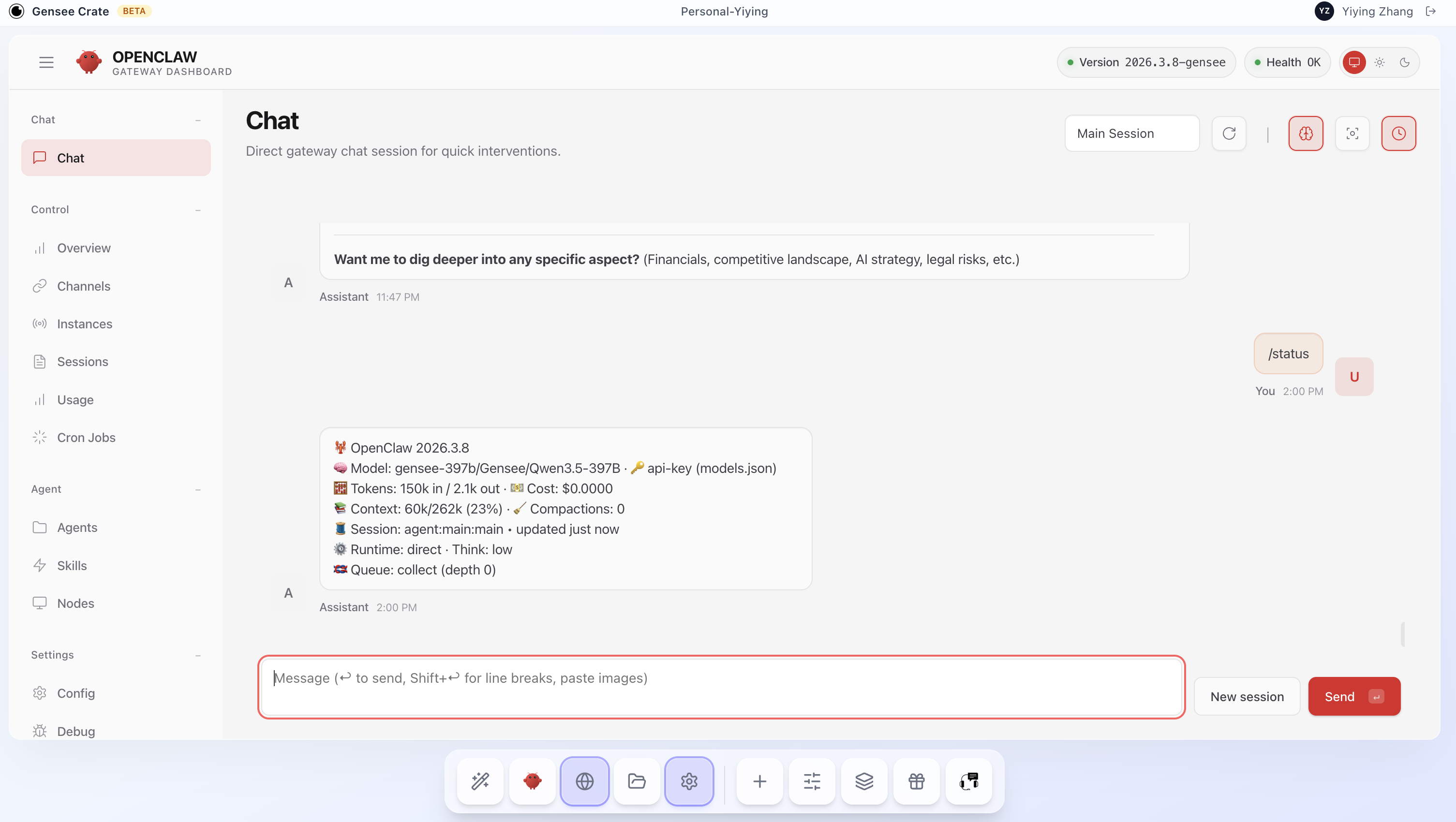
Your agent lives on this computer. It can browse the web, manage files, write and execute code, send emails, read your calendar, and connect to the tools you already use. It doesn't forget what it was doing between sessions. It picks up where it left off.
Think of it less like a chatbot and more like a remote employee who happens to be an AI — one with its own workstation, its own workspace, and the ability to work while you sleep.
Start productive in minutes
GenseeAI comes with a library of ready-to-run use cases across research, productivity, marketing, HR, data analytics, and more. Instead of figuring out how to prompt an agent, you pick a use case, answer a few questions in a guided wizard, and the agent is configured and running.
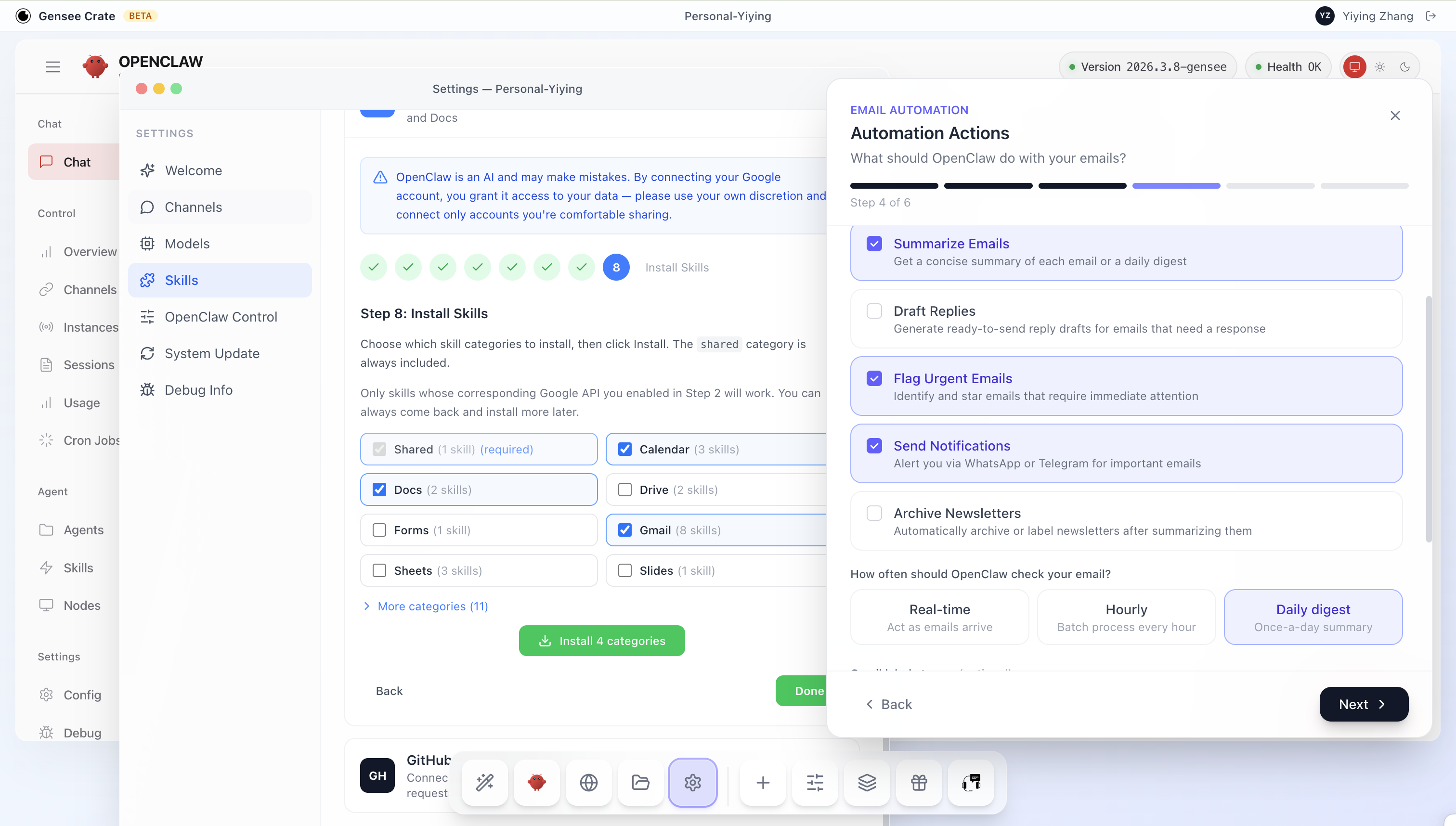
Some examples of what users run on GenseeAI today:
- Morning Briefing — a daily email summarizing your calendar, news, market data, and whatever else you care about. Runs automatically via cron.
- Price Monitor — tracks product prices across websites and alerts you when something drops.
- Data Analytics — upload a CSV, ask questions in plain English, get charts and statistical analysis.
- Website Builder — describe what you want, the agent builds it, pushes to GitHub, deploys.
- Resume Screening — upload a stack of resumes, define your criteria, get a ranked shortlist.
- Email Automation — draft and send emails, follow up with contacts, manage outreach sequences.
Every use case is a starting point. You can customize the agent's behavior, change the model, add integrations, and evolve the workflow over time.
Your data stays in your instance
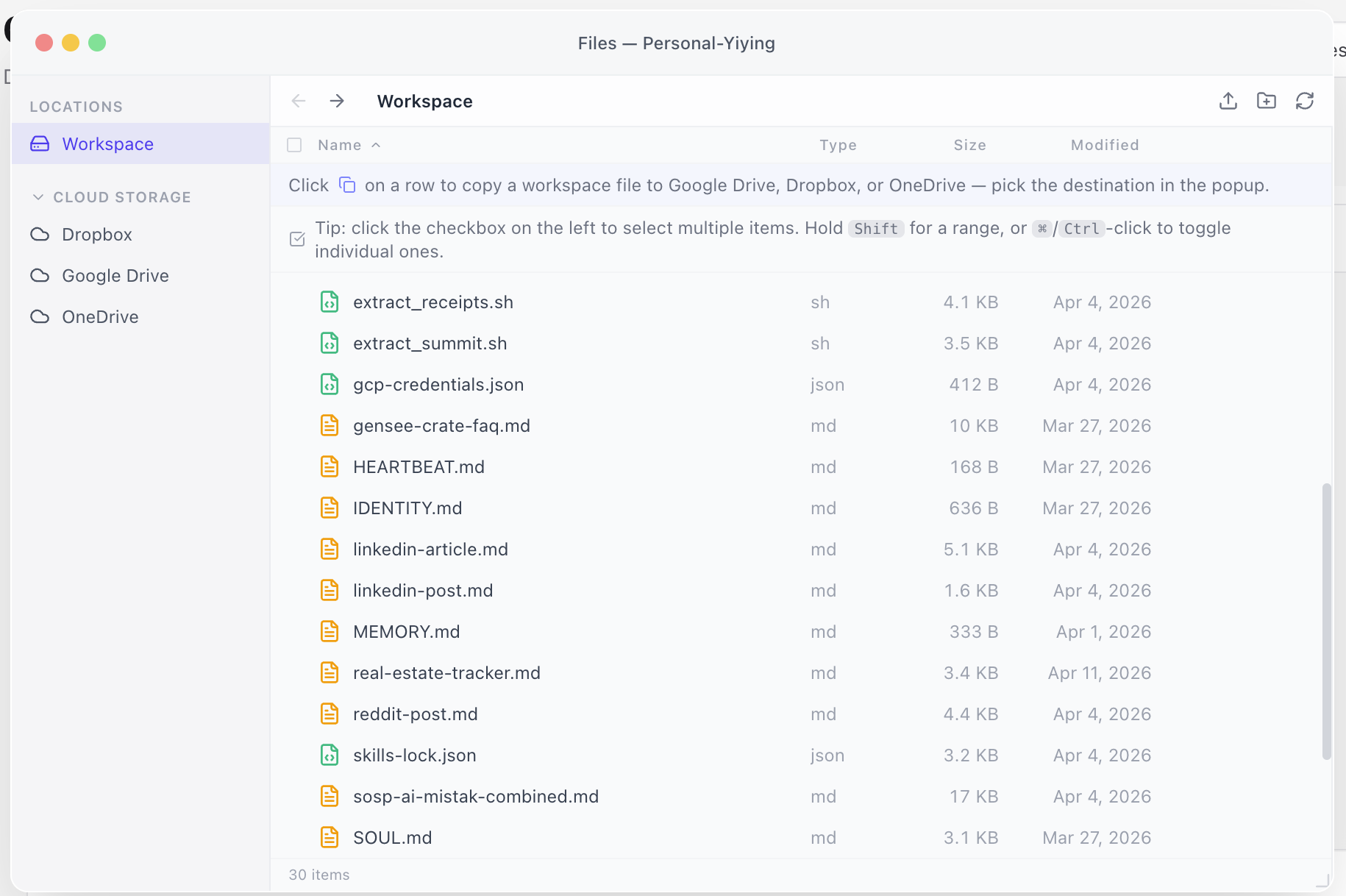
Privacy is not a feature we added — it's how the platform is built. Every user gets an isolated sandbox. Your files, conversations, credentials, and agent state live inside your instance and nowhere else.
- No shared infrastructure between users. Your instance is yours alone.
- Your data is never used to train models.
- You can download any file from your workspace at any time. Export your full agent configuration. Your data is yours to take with you.
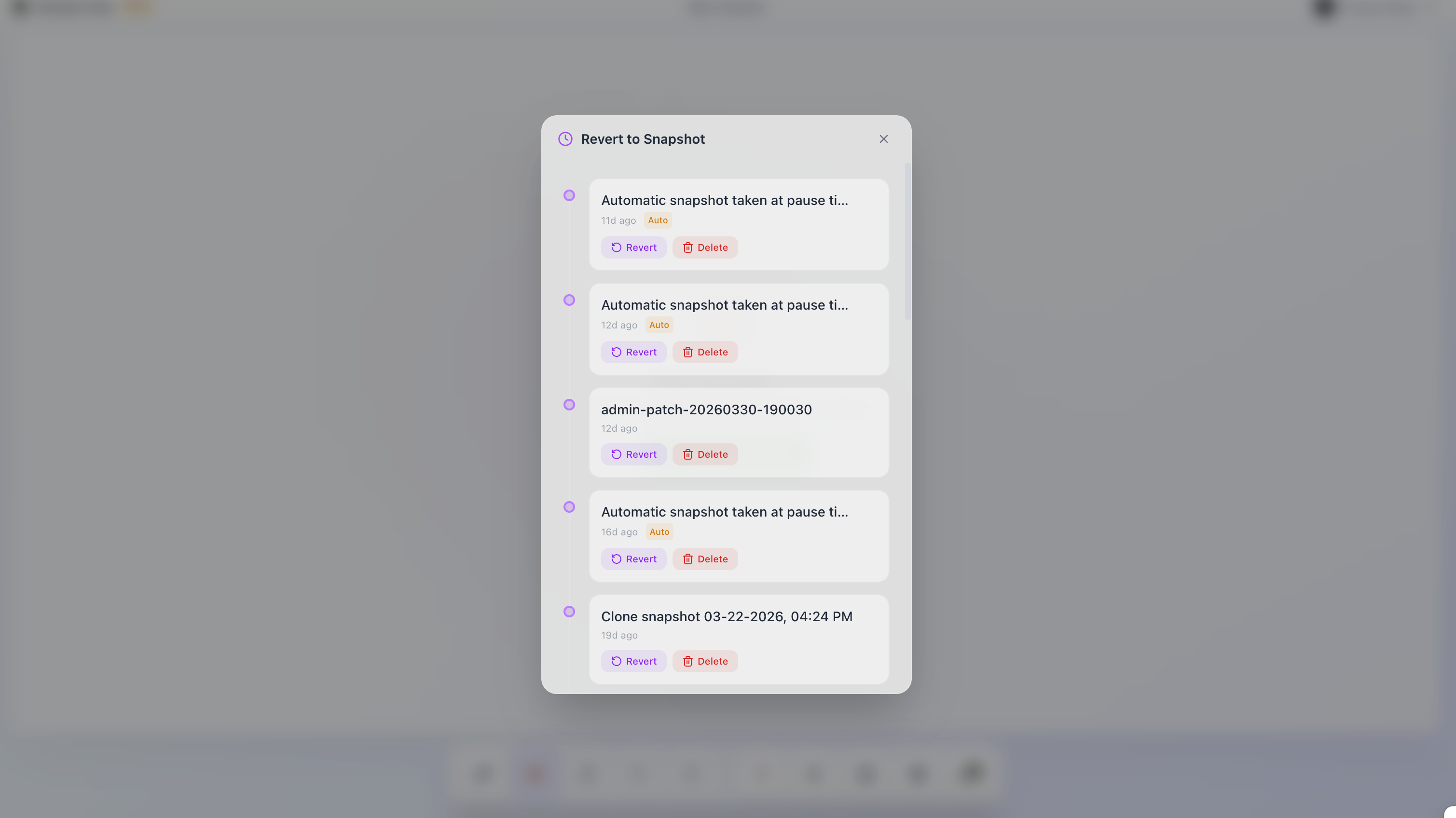
- Checkpoints and rollback let you save state, experiment freely, and revert to any previous point if something goes wrong.
Connected to the tools you already use
An agent is only as useful as what it can reach. GenseeAI connects to the services you work with every day:
- Google Workspace — Gmail, Calendar, Drive, Docs, Sheets. Your agent can send emails, check your schedule, read and write documents.
- GitHub — clone repos, commit code, open pull requests. One-click authentication.
- Cloud storage — Google Drive, Dropbox, OneDrive. Import and export files between your cloud and your agent's workspace.
- Messaging — talk to your agent from WhatsApp, Telegram, Slack, or the web UI. Same agent, same state, any device.
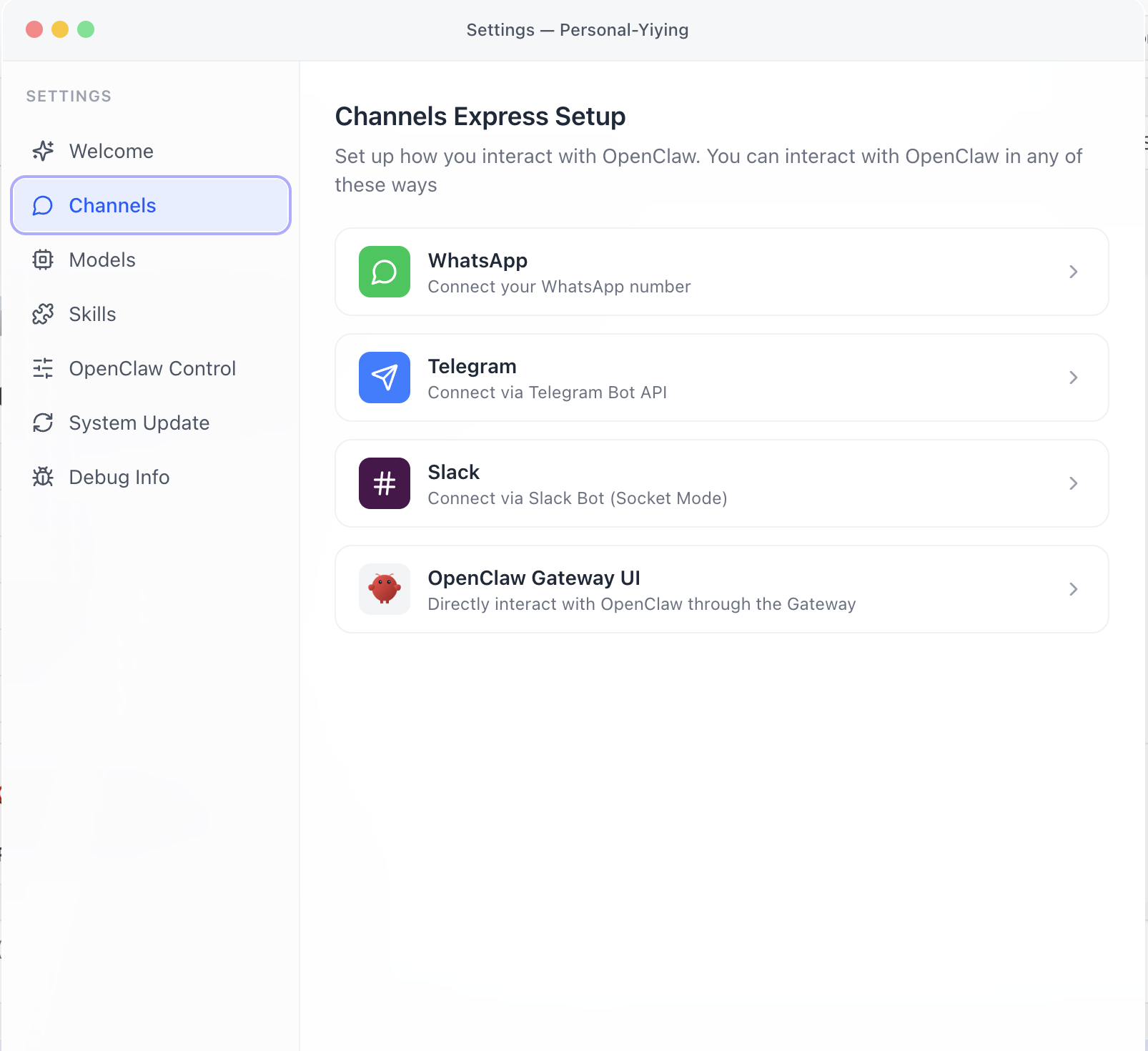
Connectors are configured through a simple settings panel. No API keys to paste, no JSON to edit, no config files to debug.
Powered by a frontier AI model
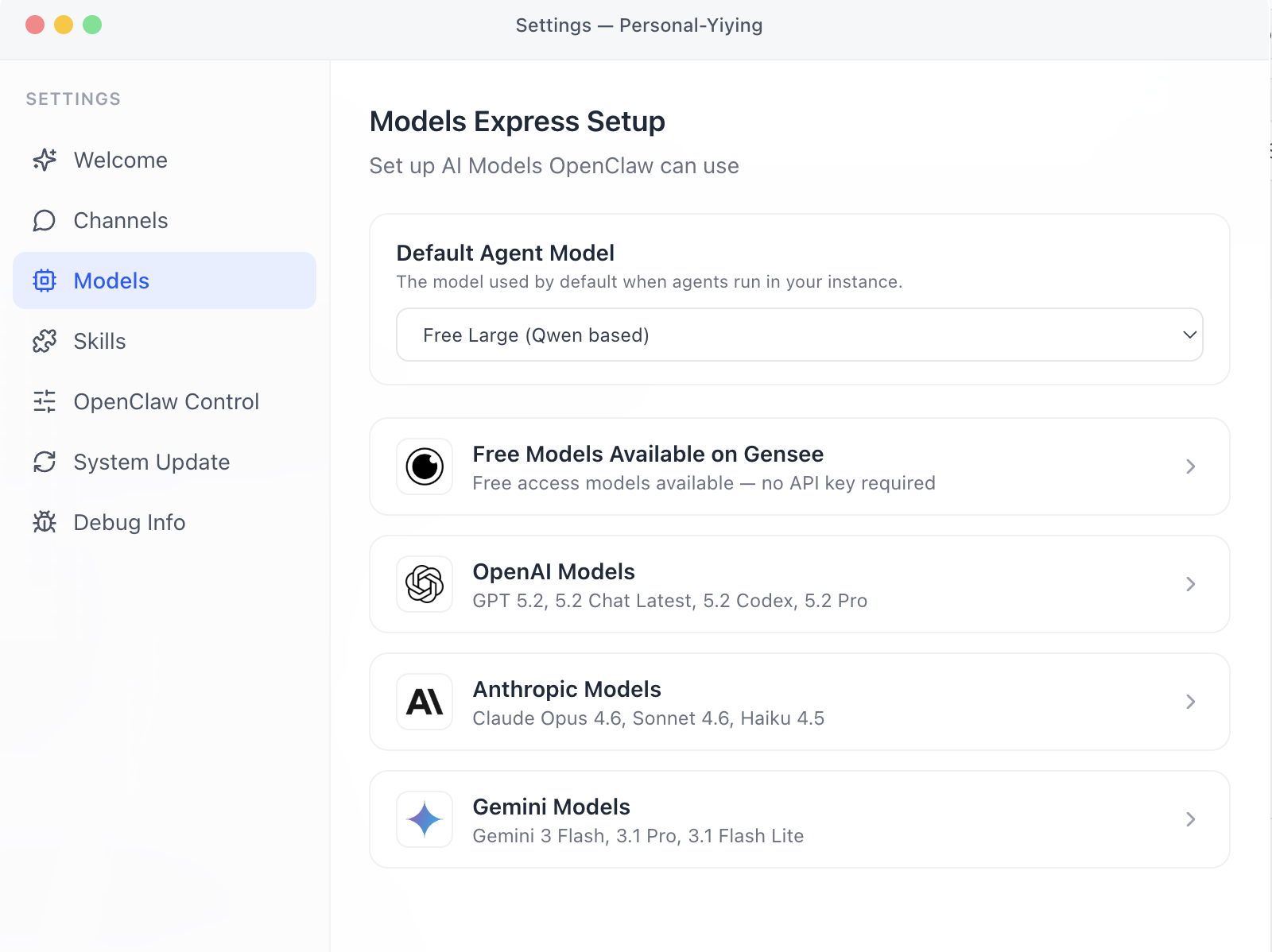
GenseeAI includes built-in access to Qwen 3.5-397B, a 397-billion-parameter frontier model, plus the #1 ranked AI web search engine — both included in every plan. Your agent can reason over complex tasks, search the web for up-to-date information, and produce high-quality output without you paying a separate model provider.
If you prefer a different model — GPT, Claude, Gemini, or any OpenAI-compatible endpoint — you can bring your own API key on any plan. There's no markup. Your calls go directly to the provider.
Zero operational headache
GenseeAI handles everything you would normally have to manage yourself if you self-hosted an AI agent:
- No environment setup — no Docker, no Python versions, no dependency hell. Your instance comes ready to use.
- Automatic updates — agent runtime upgrades, security patches, and infrastructure maintenance happen without you touching anything.
- Crash recovery — if something goes wrong, the platform diagnoses the issue and emails you a plain-English explanation with suggested fixes.
- Always accessible — your instance runs in the cloud, accessible from any device, any browser, anywhere.
All the control of self-hosting, without the maintenance.
Three plans, starting free
GenseeAI offers three plans designed to scale with how you use the platform:
- Free ($0/month) — 1 instance, 10 GB storage, 20M tokens/month of Gensee inference. No credit card required.
- Premium ($29/month) — up to 3 instances, 50 GB storage, 20M priority tokens/month, terminal access.
- Premium+ ($39/month) — unlimited priority tokens (fair use), plus technical support from human experts.
All plans include checkpoints, rollback, file manager, browser, multi-channel access, and the full use case library. Bring your own API key on any plan for unlimited inference at no markup. New users receive a 7-day Premium+ free trial. See the full comparison at gensee.ai/pricing.
Now out of beta
Over the past few months, more than 4,000 users joined the GenseeAI beta. They ran research reports, built websites, monitored product prices, created Chrome extensions, automated email outreach, and used the platform in ways we never anticipated. Their feedback shaped every part of what GenseeAI is today — the use case library, the checkpoint system, the crash recovery, the channel integrations, and the pricing model. Today we are officially out of beta, with a more stable runtime, a production-ready infrastructure, and subscription plans. Everything users built during beta — instances, files, configurations, save points — carries over.
Pick a use case. Run your first agent in minutes.
Get Started Free