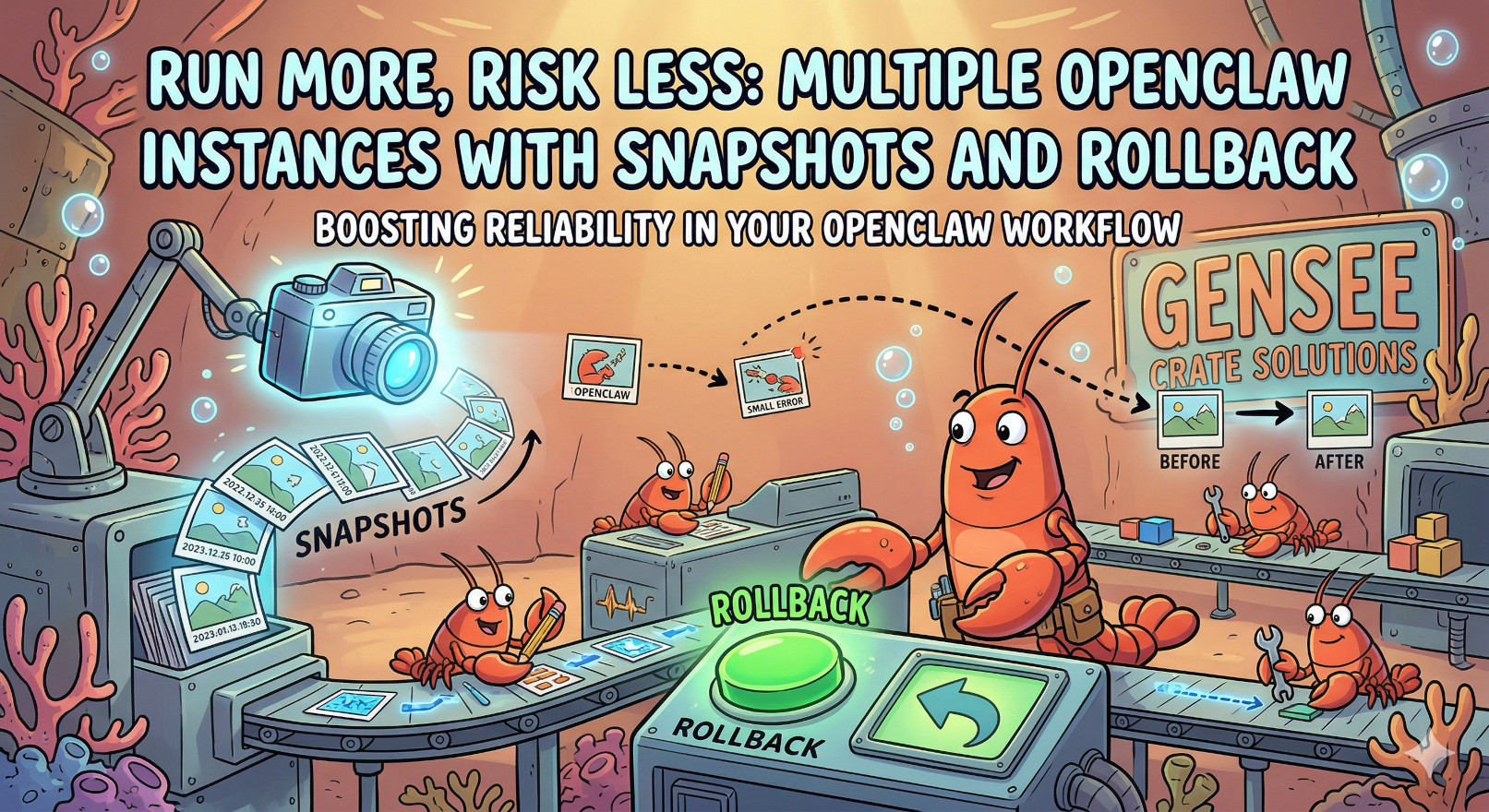
One of the most powerful features in Gensee Crate is full instance management. You can pause your agent, take snapshots at any point, roll back to previous states, and create new instances from scratch or from any snapshot. It's like version control for your OpenClaw agent — but simpler.
What You Can Do
Four Simple Actions
- Pause — Stop your instance without losing anything. Pick up exactly where you left off.
- Snapshot — Capture the complete state of your instance at any moment. Take as many as you want.
- Rollback — Return to any previous snapshot instantly. Undo mistakes, revisit working states.
- Clone — Create a new instance from scratch or from any existing snapshot. Inherits everything: files, skills, memory, configurations.
Let's talk about why this matters — and how you'll actually use it.
The Safety Net You Didn't Know You Needed
🛡️ Zero Risk, Zero Regrets
Because Gensee Crate runs in the cloud, nothing on your local machine is ever at risk. But we go further:
- Installed a harmful skill? — Roll back to before you installed it.
- Accidentally deleted important files? — Restore from a snapshot.
- Agent went rogue and changed configs? — Revert to a known-good state.
- Want to try something risky? — Clone first, experiment on the copy.
Your agent lives in the cloud. Your peace of mind comes standard.
This isn't just about fixing mistakes — it's about freedom to explore. When there's no penalty for experimentation, you try more things. You push boundaries. You discover what your agent can really do.
Run Multiple Instances for Different Purposes
Here's the thing: you don't use your phone the same way for everything. You have different apps, different workflows, different contexts. Your OpenClaw agent should work the same way.
🎯 Scenario: The Three-Instance Setup
Many of our users run three instances simultaneously:
- Main Instance — Your daily driver. This is where you chat, get work done, and run routine tasks. It's tuned to your workflow and has all your go-to skills configured.
- Experimental Instance — Your sandbox. Want to test a new skill? Try a different AI model? Give your agent a wild task that might go sideways? Do it here. If it breaks, roll back or delete it. No harm done.
- Production Instance — Your mature, stable agent. This one runs your cron jobs, handles automated workflows, and manages long-running tasks. It's been carefully configured and you don't touch it unless necessary.
Because each instance is isolated, you can experiment freely without risking your main workflow. And because you can clone from snapshots, setting up a new instance takes seconds — not hours.
More Use Cases We've Seen
- Project-specific instances — One instance per major project. Each has its own files, context, and specialized skills. When the project ends, archive the instance.
- Before/after comparisons — Snapshot before a major change (new skills, config updates). If you don't like the results, roll back instantly.
- Client or company separation — Keep different clients' data completely isolated. One instance per client, with clean boundaries between them.
- Learning and practice — Create a "training" instance for learning new skills or testing prompts. Mess up freely, then roll back or start fresh.
- Temporal separation — Keep your work instance separate from your personal instance. Different contexts, different memories, different skills.
- Version testing — Before upgrading to a new OpenClaw version, snapshot your current instance. Clone it to test the upgrade, and keep your original safe until you're ready.
Why This Is Hard on Your Own Machine
If you're running OpenClaw locally, you can back things up — but it's nothing like what we offer.
The DIY Approach
To get similar protection on your own machine, you'd need to:
- Manually copy your entire
~/.openclawdirectory before any major change - Remember which files matter — memory files, skills, configs, sessions — and which to skip (database locks, temp files, node_modules)
- Manage versions yourself — name each backup, track when you made it, store it somewhere safe
- Manually restore by copying files back — and hope you didn't miss anything
- Clone an instance? — You'd need to set up a whole new OpenClaw installation, then manually copy over all your files
- Run multiple instances? — Each one needs its own port, config, and resources. On your laptop, that gets messy fast.
In short: you can do it, but it's a part-time job.
Getting Started
If you already have a Gensee Crate instance, you can start using these features right now:
- Go to your instance dashboard at webapp.gensee.ai
- Click "Snapshots" to take your first snapshot (give it a descriptive name!)
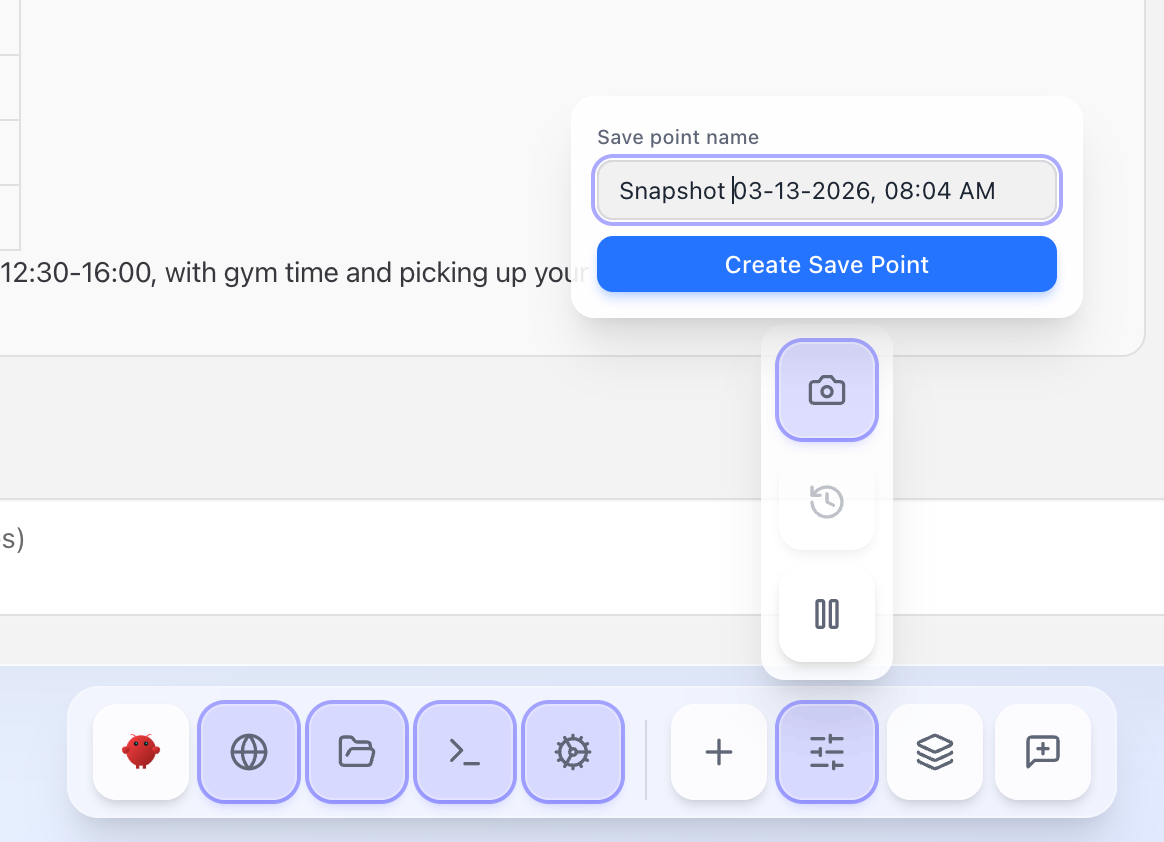
- Experiment freely — install skills, change configs, run wild tasks
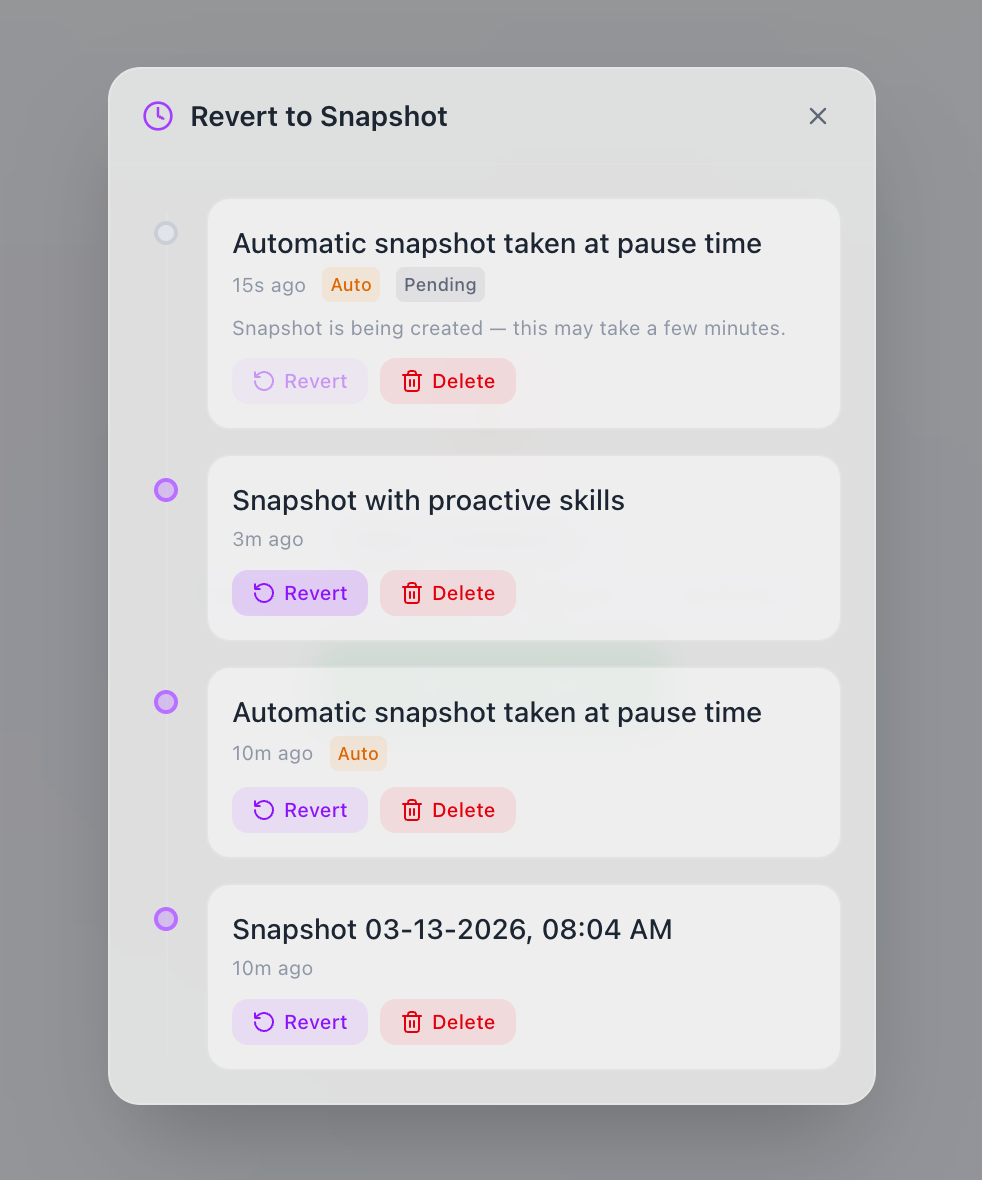
- Want to go back? Click "Rollback" and pick a snapshot
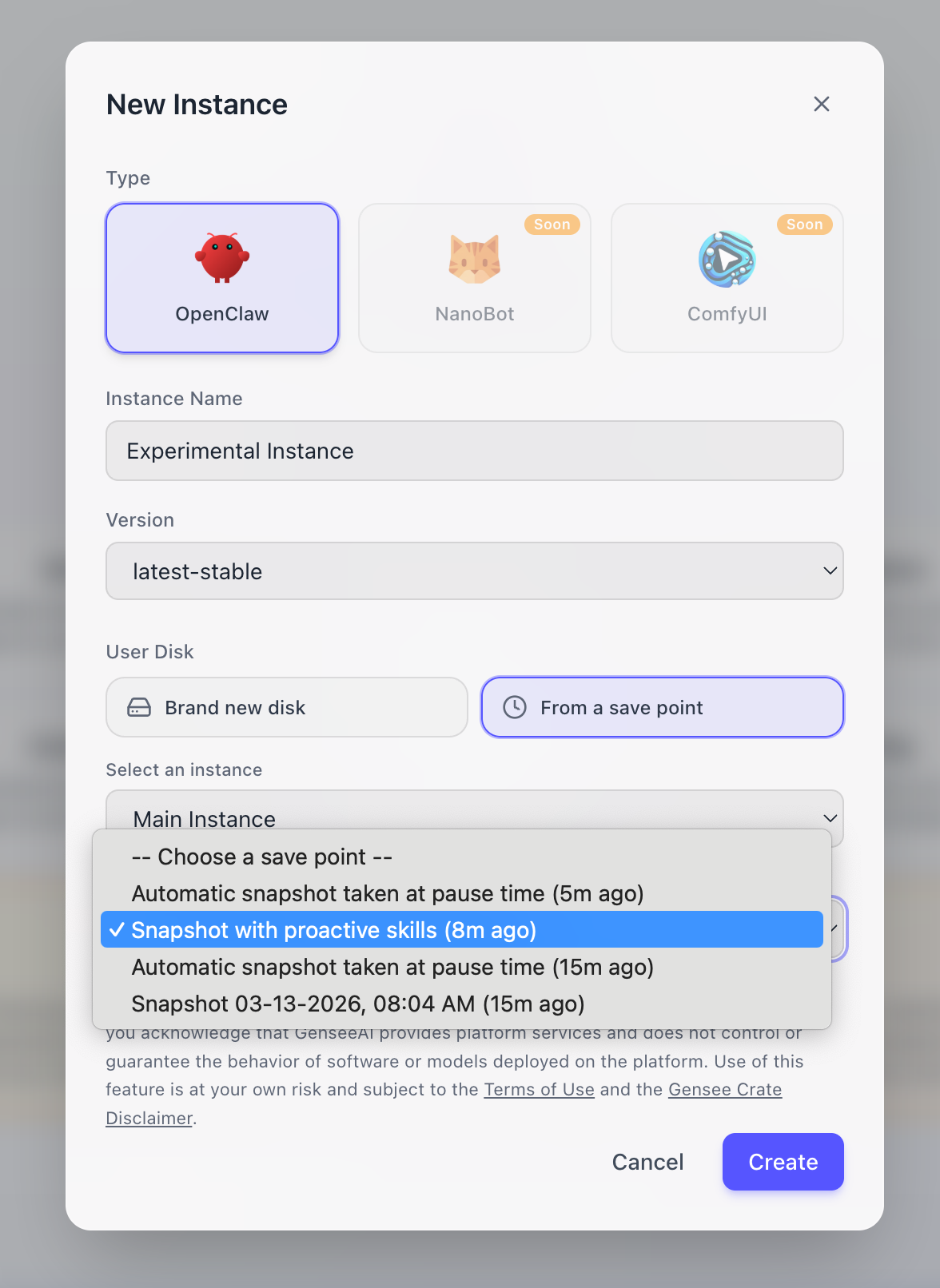
- Want to branch out? Click "Clone" to create a new instance from any snapshot
Don't have an instance yet? Sign up — it takes 60 seconds and you'll have a working OpenClaw ready to experiment with.
Experiment Without Fear
Get your own OpenClaw instance with full snapshot and rollback support. Free during beta.
Start Your FREE Crate Journey → Learn MoreRelated: Introducing Gensee Crate: Free Cloud-Hosted OpenClaw →
© 2026 Gensee, Inc. All rights reserved.