For simple chat assistants, mobile can already be a great experience. You ask a question, get an answer, maybe save or share the result, and move on. In that kind of product, the phone is often enough.
But AI agent products and workflow systems are different.
Once the product involves files, connectors, recurring tasks, ongoing conversations, and execution across multiple steps, mobile often becomes much more limited than desktop. In many of these systems, mobile is still treated as a companion surface: useful for checking in, but not for actually controlling the workflow.
That is the gap we wanted to close in GenseeAI Guided Mode.
Because if AI is meant to support real work, then mobile should not just be where users look at results. It should also be a place where they can start, continue, and manage meaningful workflows.
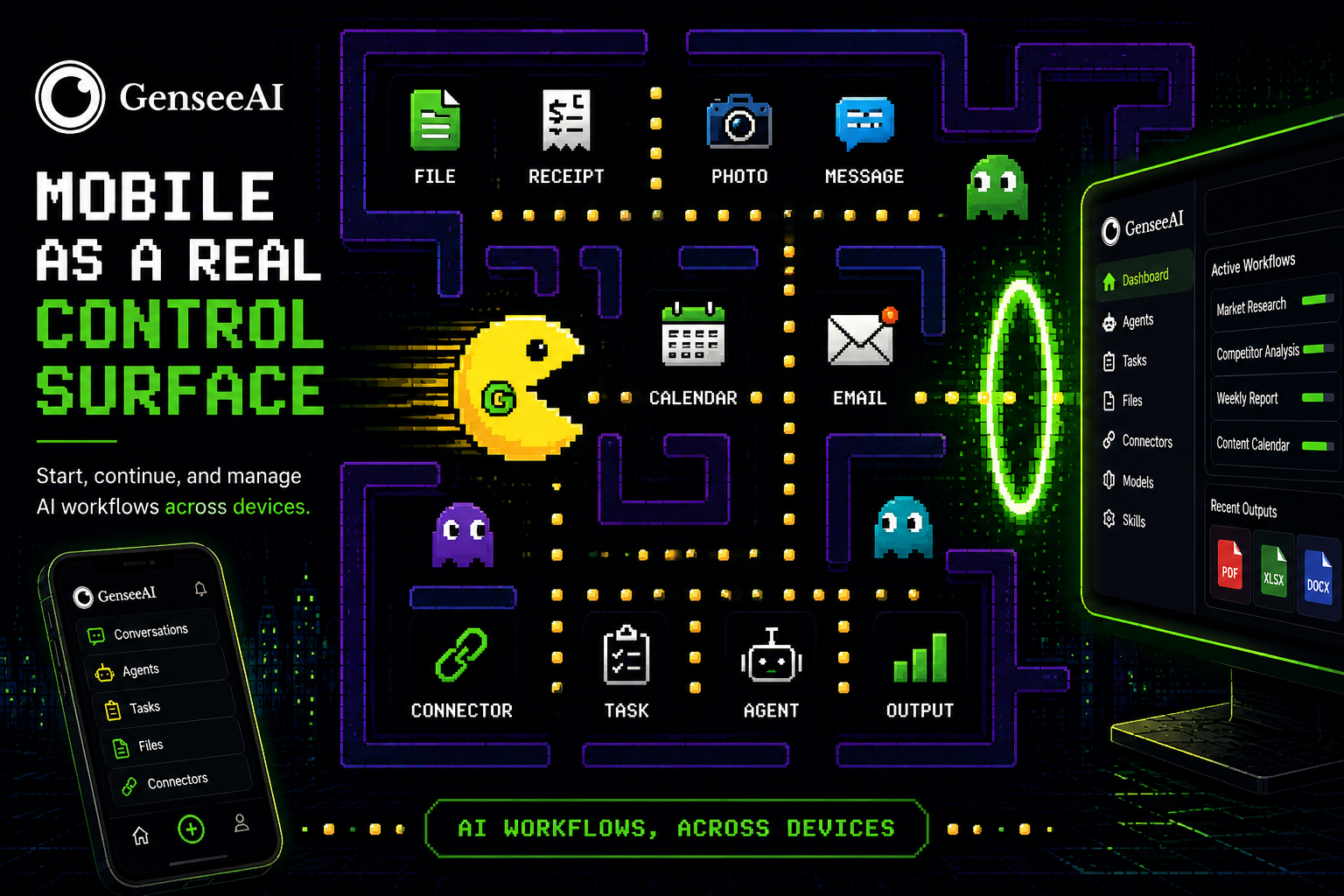
Why mobile matters differently in AI workflow products
The mobile experience for an AI chat app and the mobile experience for an AI workflow system are not the same problem.
A chat app mainly needs to support:
- asking
- answering
- sharing
- coming back to the conversation
An AI workflow product has to support much more:
- uploading files
- managing ongoing work
- switching between workflows
- connecting tools
- checking outputs
- continuing multi-step tasks
- controlling agents across contexts
Once users are working with AI agents, the phone stops being just a convenience device. It becomes part of the workflow itself. And in many agent systems, that is exactly where the product still breaks down.
The companion-surface problem in AI agents
A lot of AI workflow tools still assume that the "real" product lives on a desktop. In reality, a lot of workflows begin when someone is not sitting at their desk:
- they take a photo
- capture a receipt
- see a message they need to act on
- remember a task while walking
- want to upload a file immediately
- need to trigger or adjust something in the moment
If mobile cannot support those moments well, the workflow gets delayed or broken. That is why we think mobile AI for workflows should be treated differently from mobile AI for chat.
Why mobile should be a real control surface
A good mobile experience for AI agents should do more than let users "peek" at what is happening.
It should let them control tasks, adjust work, inspect outputs, and move between ongoing tasks without losing momentum.
That is what we mean by a real control surface.
In GenseeAI Guided Mode, the goal is not just to mirror desktop on a smaller screen. The goal is to make mobile useful in the contexts where it matters most.
That means making it possible for users to stay closer to the workflow itself, rather than treating the phone as a notification layer attached to the "real" product elsewhere.
What changed in GenseeAI Guided Mode on mobile
With Guided Mode, mobile now supports a much more complete experience across:
- conversations
- agents
- tasks
- files
- connectors
- models
- skills
- account views
Instead of acting like a read-only or limited companion, mobile becomes much closer to the actual working product.
Users can move through the same broader product structure in Guided Mode across desktop and mobile, instead of feeling like mobile is a separate, reduced version of the system.
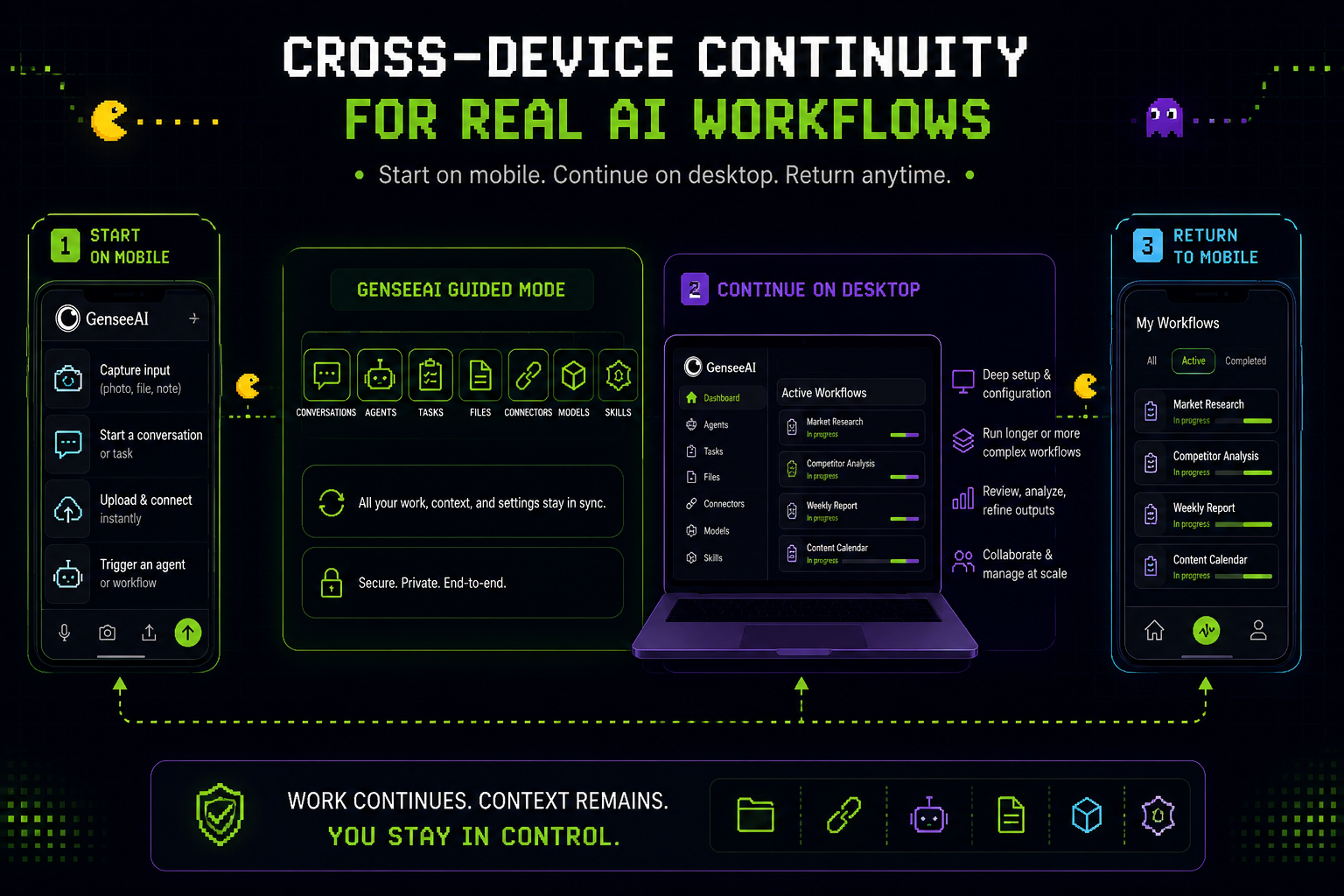
Connector setup is part of real mobile usability
One especially important improvement is that mobile can now support more meaningful setup and control actions, including connector management.
That may sound small, but in workflow products it is a big deal. A lot of useful AI workflows depend on tools and services such as:
- calendars
- files
- external accounts
- connected platforms
If those connections can only be managed comfortably on desktop, then mobile still remains secondary. By making mobile connector setup and control more practical, Guided Mode gets closer to what a real cross-device AI workflow product should feel like.
Why this matters for real-world workflow inputs
The most valuable moment in a workflow is often when the input first appears. Think about how real workflow inputs show up:
- a paper receipt
- a screenshot
- a photo
- a note
- a document
- a reminder
- a quick message
- a link you want to act on immediately
These inputs are often mobile-native.
That means the phone is not just a place to consume AI output. It is often the first place where the workflow should begin.
If the system treats mobile as an afterthought, then it is already missing one of the most useful moments in the workflow.
This is one reason mobile AI agents need a stronger design model than simple companion access.
Cross-device continuity matters just as much as mobile access
The real question is not only whether mobile can do more.
It is also whether work can continue smoothly across devices. This is especially relevant for workflows in areas like:
- research
- operations
- e-commerce
- reporting
- sales
- personal productivity
- on-the-go review and approval
These are not one-message interactions. They are workflows with state, outputs, and continuity.
That is why AI workflow mobile UX needs to be treated as a core product problem, not a secondary convenience feature.
Guided Mode and Classic Mode serve different needs here too
As with the rest of the product, Classic Mode remains available on desktop for users who prefer the original OpenClaw workflow.
That still matters.
But Guided Mode gives GenseeAI a better structure for broader cross-device use, especially for people who want a more approachable and more continuous workflow experience.
This does not mean mobile should replace desktop. It should not.
Desktop still matters for:
- deeper control
- longer sessions
- more complex workflows
- richer setup tasks
But mobile should no longer feel like a side screen that can only observe what the desktop is doing. It should be part of the actual workflow system.
A better foundation for AI workflows
A strong AI workflow product is not just about what the model can do. It is about whether the system meets users in the places where work actually happens.
For many workflows, that includes mobile.
By making mobile a more complete control surface in GenseeAI Guided Mode, we are trying to make GenseeAI less like a system users only return to from a desktop and more like an environment they can continue using across the moments where work really appears.
That is a much better foundation for real AI workflows, AI agents, and long-term workflow usability.
GenseeAI Guided Mode is available now. Try it at gensee.ai