One of the easiest mistakes in AI product design is to assume that a better chat window is enough.
It usually is not.
Chat is useful for fast interaction. It is useful for asking a question, refining an idea, or getting a draft. It is the most obvious layer. It is where a user types, where the model responds, and where most early impressions are formed.
But for AI workflows and AI agents, chat is only the surface. Once AI starts participating in real work, the challenge changes. At that point, the product is no longer just a place to exchange messages. It becomes a place where workflows unfold over time. In other words, the workflow continuity.
That is one of the biggest reasons we changed the new GenseeAI Guided View the way we did. Because in real AI workflows, users need:
- context that persists
- work that can be resumed
- outputs that stay connected to the conversation
- recurring tasks that return to the same flow
- a system that remembers where they were
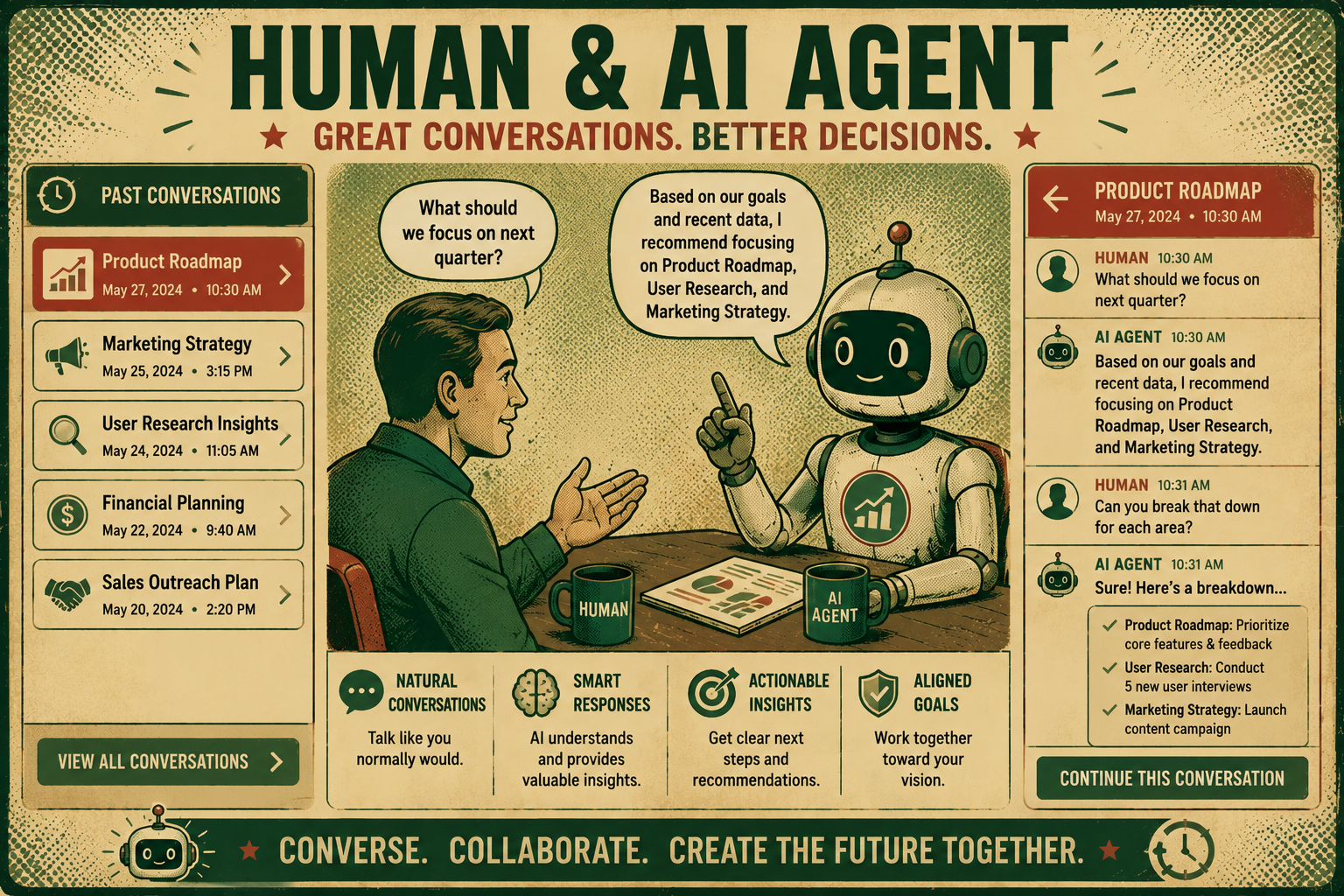
Why continuity matters more in AI agents than in simple chat tools
If you are using a generic AI assistant for a one-off question, continuity matters less. You ask something, get a response, and move on.
But products like GenseeAI, especially in Classic Mode and Guided Mode, are used for more than one-off prompts. They are used for OpenClaw-based workflows, recurring tasks, multi-step execution, file generation, research, monitoring, reporting, and other ongoing forms of work.
In these kinds of AI systems, users do not just want a response. They want a workflow that stays coherent over time.
The continuity problem in AI agent workflows
In many AI agent experiences, work can get fragmented quickly. A conversation happens in one place, generated files appear somewhere else, recurring jobs run in the background, and important results may require the user to check a separate status view or another interface.
Even when each individual part technically works, the overall experience can still feel disjointed. This is especially noticeable in more technical, system-oriented workflows, where users may already be managing instances, outputs, tasks, and state across multiple surfaces.
Consequently, users spend time:
- reconstructing what happened
- finding outputs
- checking task state
- figuring out where a workflow left off
- re-establishing context before continuing
This is one of the least visible but most important UX problems in AI workflows. If users constantly have to rebuild context manually, the system is not saving as much effort as it should.
Conversations should be containers, not temporary threads
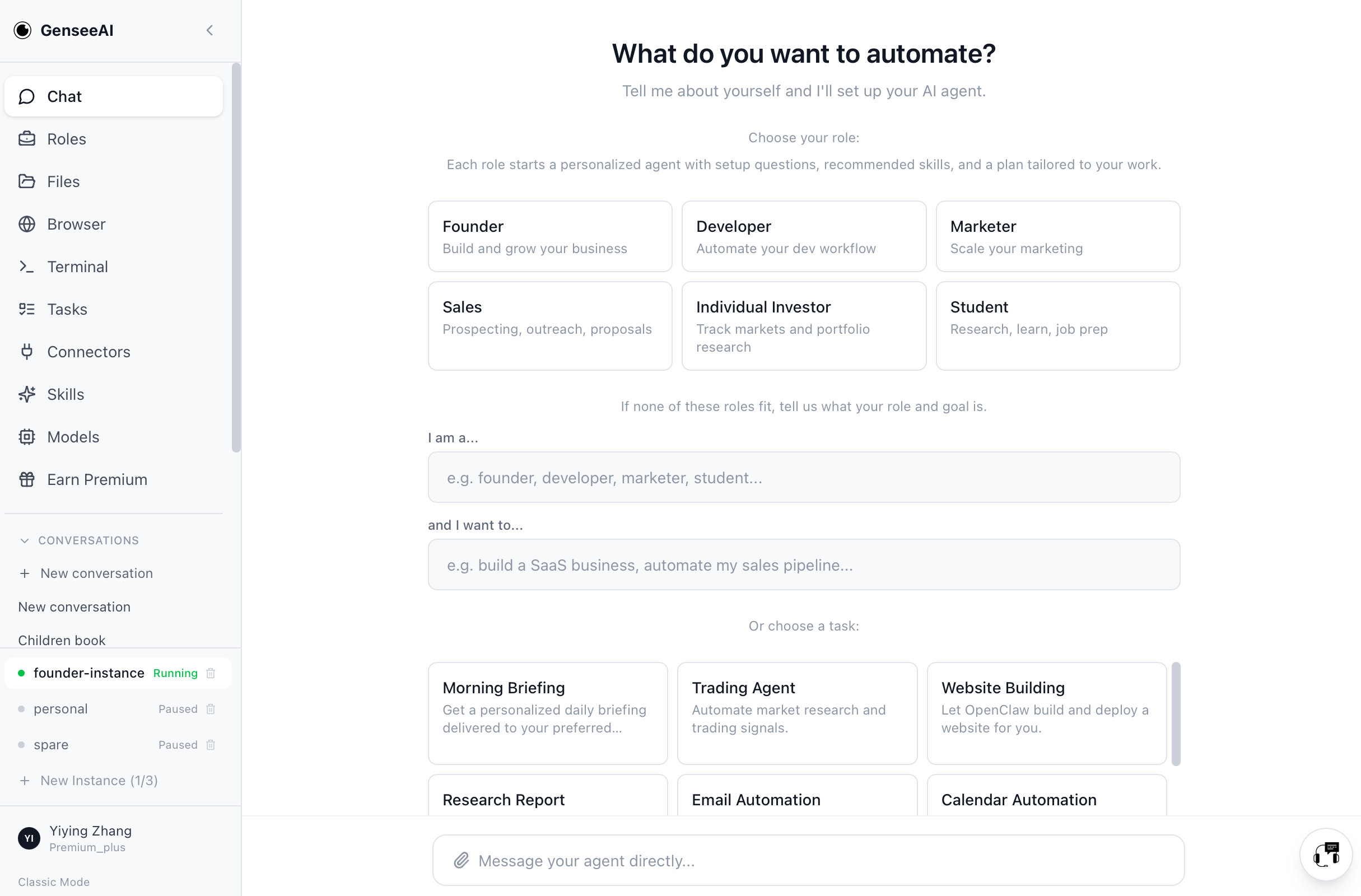
GenseeAI Guided Mode changes how conversations are treated. Instead of acting like disposable exchanges, conversations now function more like persistent containers for work.
GenseeAI Guided View supports:
- persistent conversation history per instance
- conversation switching
- new conversation creation
- conversation deletion
- timestamps
- copy buttons
- per-conversation agent state
This matters because users often run multiple workflows across the same instance. A temporary chat model is too thin for that reality.
A real workflow may need:
- multiple phases
- multiple outputs
- a sequence of follow-ups
- context that should stay grouped together
- the ability to revisit what happened later
Persistent conversations make that much easier. They also create a more natural way to segment work as separate flows with their own logic and memory.
Restore matters more than people think
One of the most underrated parts of workflow continuity is restore behavior. When a user refreshes the page or logs back in, the product should not make them ask “Which instance was I using?” or “Where did I leave off?”
That small reset cost adds up quickly.
In Guided Mode, we improved default restore behavior so that on refresh or login, the product returns users to the last active running instance and that instance’s latest conversation.
The difference between “the product remembers where I was” and “I have to reconstruct everything again” is the difference between a system that feels continuous and one that feels disposable. Users notice that feeling immediately, even if they do not always describe it in those terms.
Generated files should stay close to where the work happened
Another continuity problem in AI products is output separation.
A lot of useful work in GenseeAI creates artifacts:
- markdown notes
- HTML outputs
- generated files
- recurring result summaries
- structured deliverables
In more technical workflow systems, users may need to leave the main conversation and go into a file manager or another surface just to inspect what the AI produced. That may be acceptable for highly technical users, but for many people it interrupts the workflow.
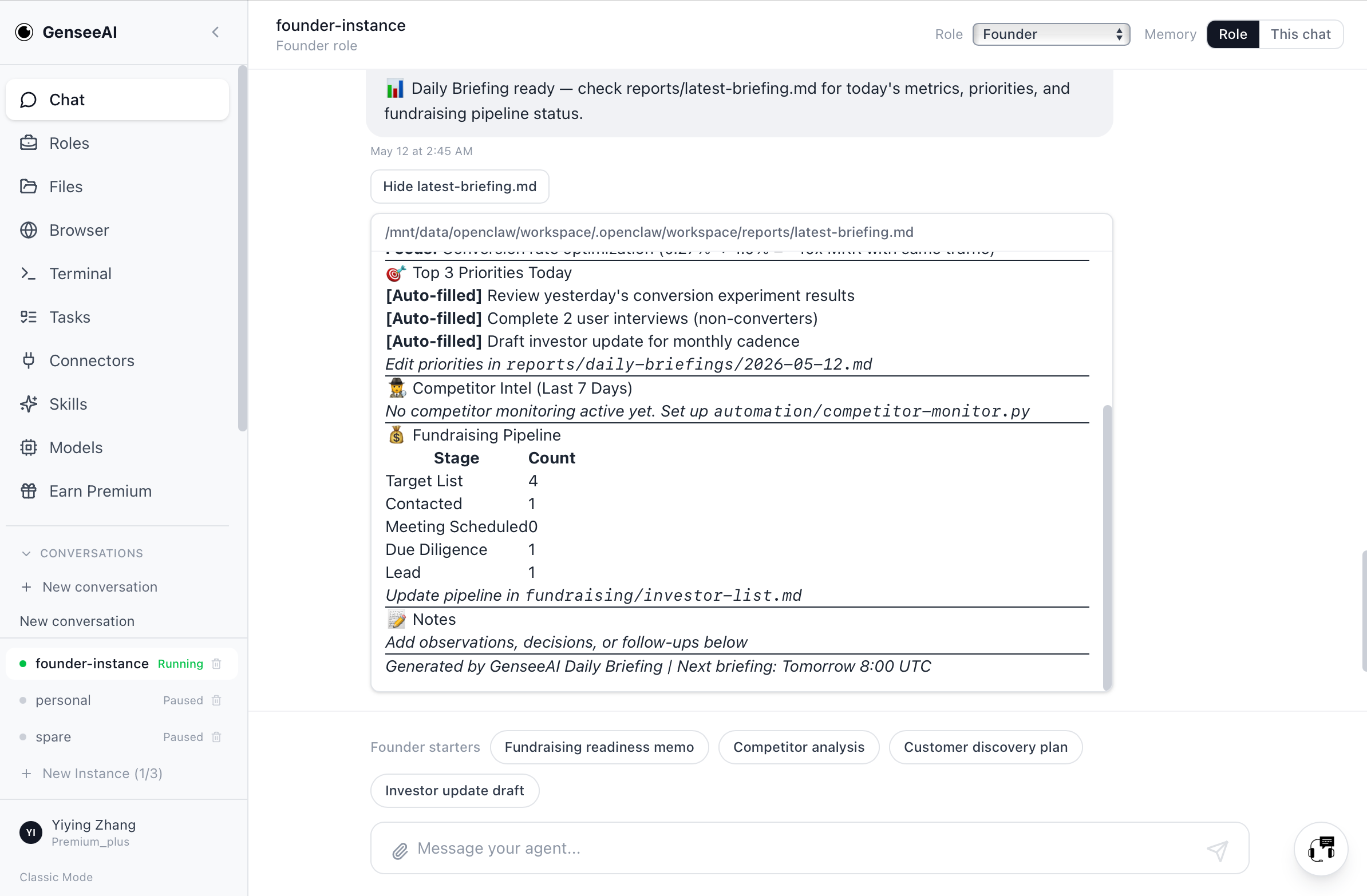
In Guided Mode, AI-generated files can now stay much closer to where the work happened. When assistant responses mention generated .md or .html files, users can preview or open those outputs directly in the same chat window. Markdown can also be rendered directly in chat.
This is an important shift to a much more coherent workflow, as the experience becomes:
- output is created
- user sees it immediately in context
- user previews or opens it without losing the thread
Recurring tasks should come back into the same flow
Recurring work is where many AI systems break down hardest.
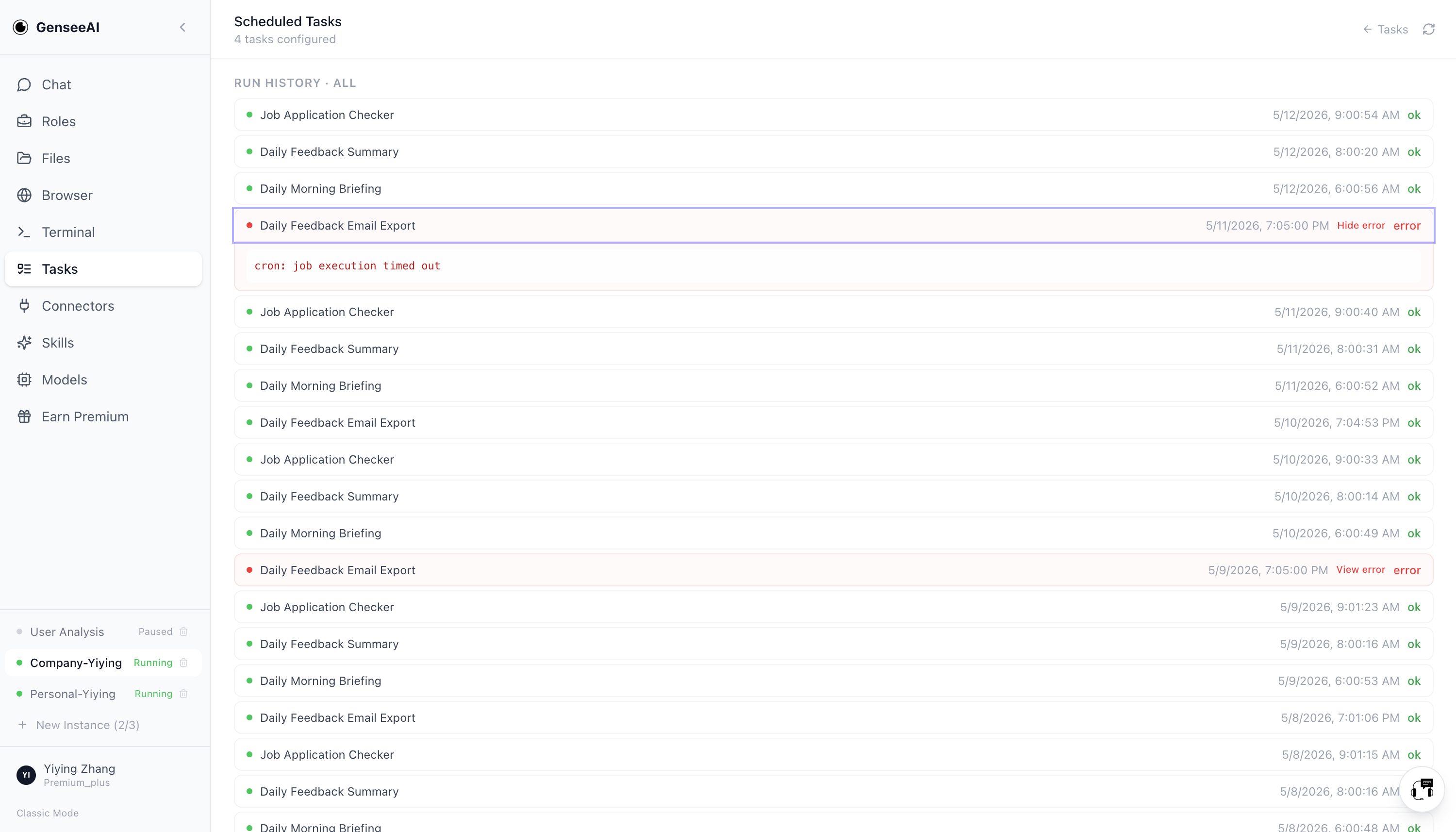
A cron-based task may run in the background, but if the result only appears in a backend job status page, then it still does not feel integrated into the user’s workflow.
The user has to remember to go check another place. The task exists, but the experience remains fragmented.
In Guided Mode, recurring task results can now return to the guided chat. A recurring report, summary, digest, or workflow result is much more useful when it shows up where the user is already working.
That makes automation feel more alive, more connected, and more actionable.
Why continuity makes AI workflows reusable
A single successful prompt can be impressive, whereas a reusable workflow requires much more.
It requires:
- state
- memory of location
- continuity of outputs
- reliable restore
- recurring task integration
- a structure that makes it easy to return and continue
That is how AI starts to feel dependable.
That shift is what turns a demo into a working system.
The difference between a tool and a workspace
A tool helps in the moment.
A workspace helps over time.
That is the difference we are trying to build toward.
Better continuity makes GenseeAI feel less like a place where you briefly talk to an AI, and more like a place where AI-supported work can actually accumulate, persist, and remain usable.
That is a much better foundation for real workflows.
Frequently asked questions about AI workflow continuity
Why is chat alone not enough for AI workflows?
Because once AI participates in multi-step work, users need continuity across state, outputs, restore behavior, recurring tasks, and workflow history, not just message exchange.
What does workflow continuity mean in AI systems?
Workflow continuity means the system preserves context over time: users can return to the right instance and conversation, keep outputs attached to the work, and continue recurring or multi-step tasks without rebuilding context manually.
How does Guided Mode improve workflow continuity?
Guided Mode adds persistent conversations, restore to the last active running instance and latest conversation, in-chat file previews, recurring task delivery back into chat, and per-conversation state that keeps work grouped coherently.